Every request has an owner, a priority and a deadline.
Tickets with owners, priorities and categories, public replies and internal notes, SLA targets that pause while waiting on the customer, and support reports.
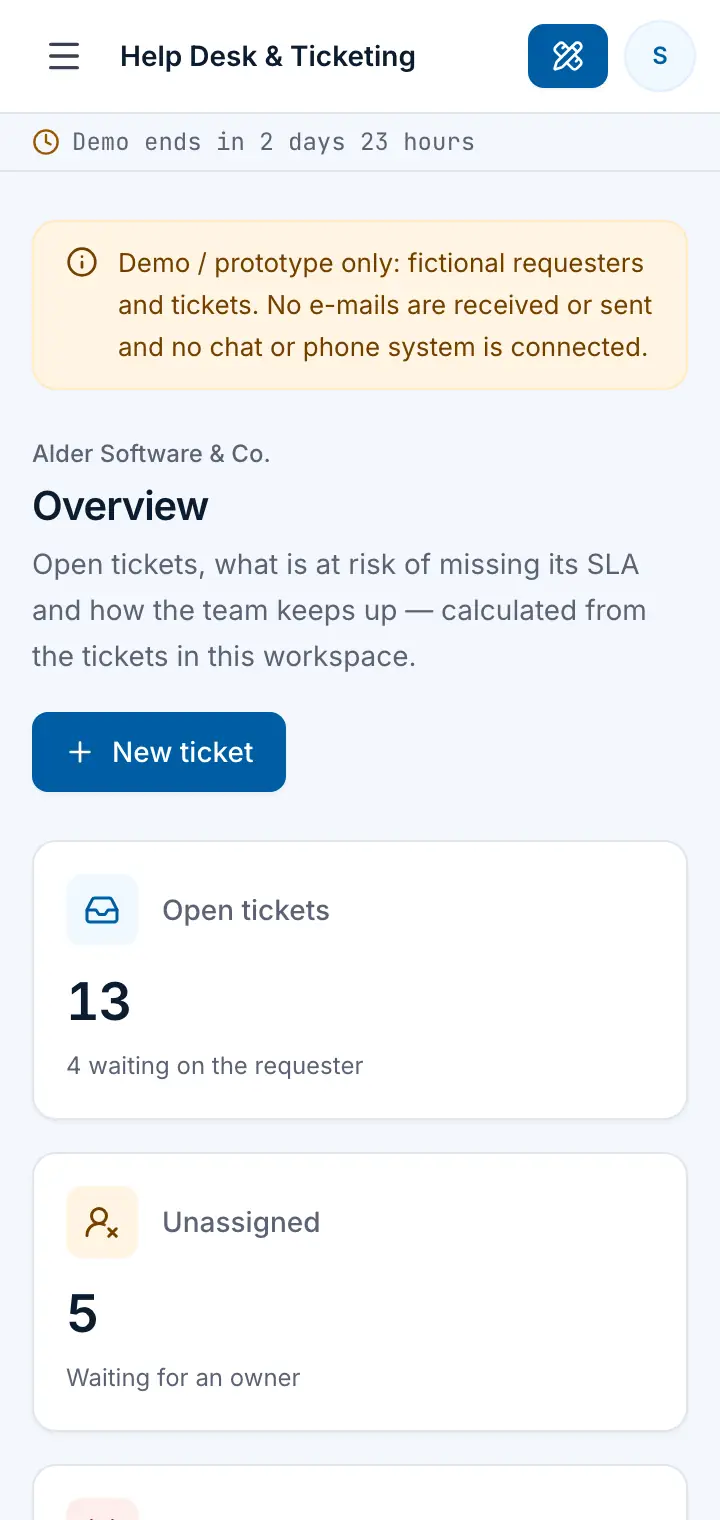
Guided preview: real screens from the live Help Desk & Ticketing demo, on a tablet and on a phone
What Help Desk & Ticketing does
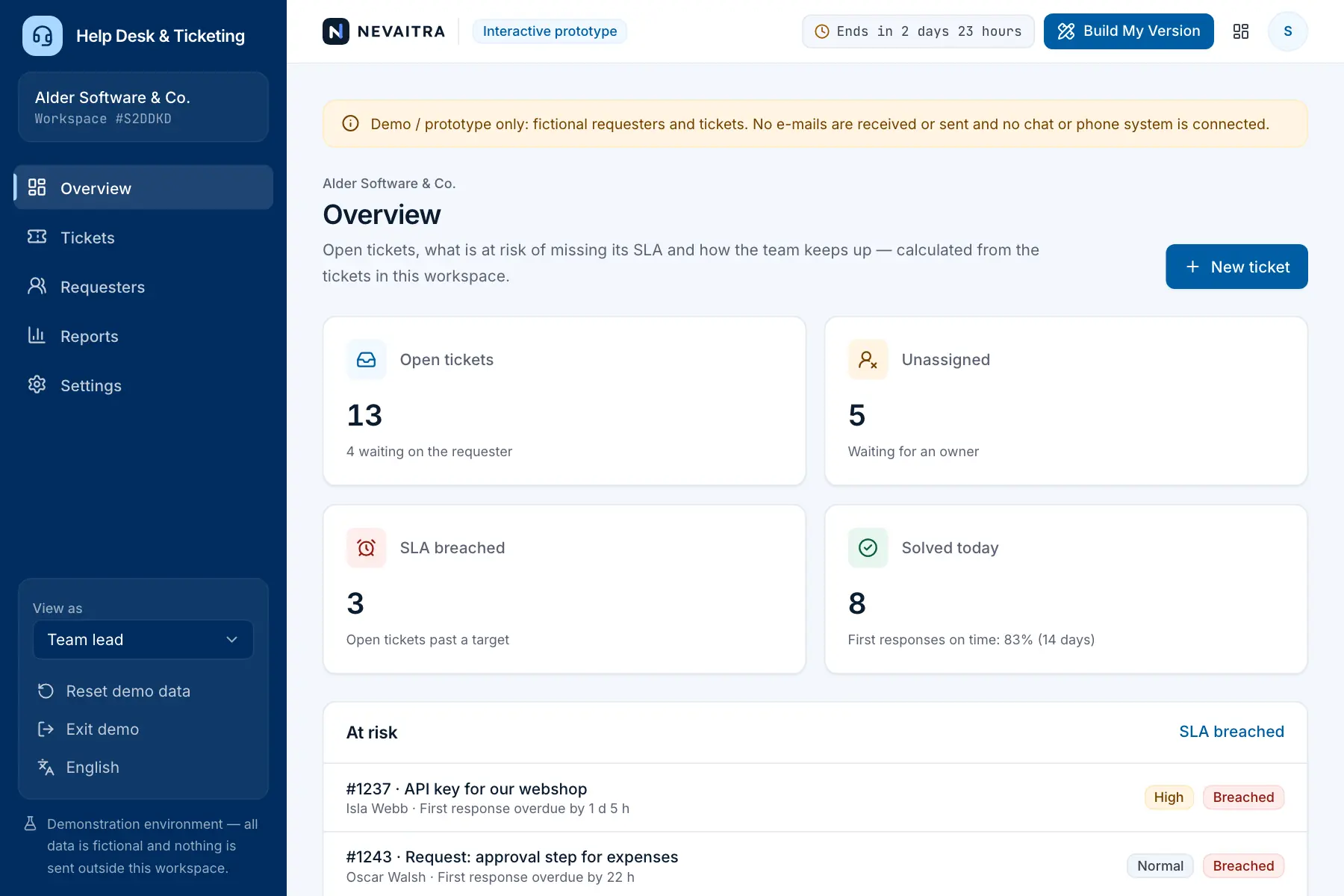
A help desk prototype for customer-support and IT teams. Log every request as a ticket, triage it with priority, category and an owner, answer with public replies or discuss it in internal notes, move it through new, open, pending, solved and closed, and see at a glance which tickets are about to miss their first-response or resolution target.
This is an interactive prototype for evaluation — not a hosted product you can subscribe to. A production version is built and adapted for your organization on request.
Who it is for
Customer-support teams of software, e-commerce and service companies
Internal IT service desks
Agencies handling client requests
Teams that answer customers from a shared inbox today
Key features
Tickets and conversations
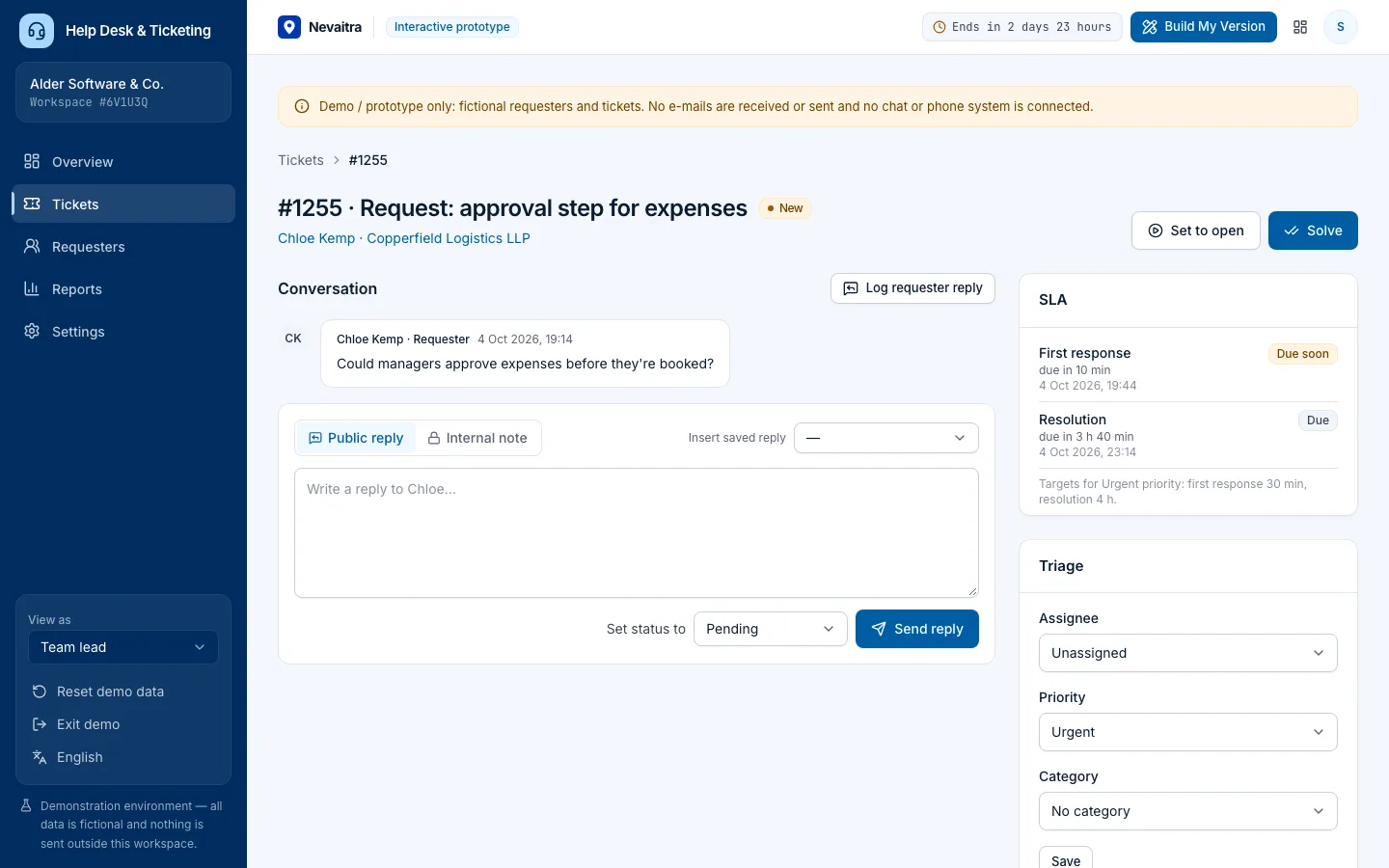
The full conversation per ticket; public replies go to the requester, internal notes stay with the team and are clearly marked.
Triage and ownership
Set priority, category and assignee; agents can take unassigned tickets, team leads can assign anyone. Every change is logged.
SLA targets
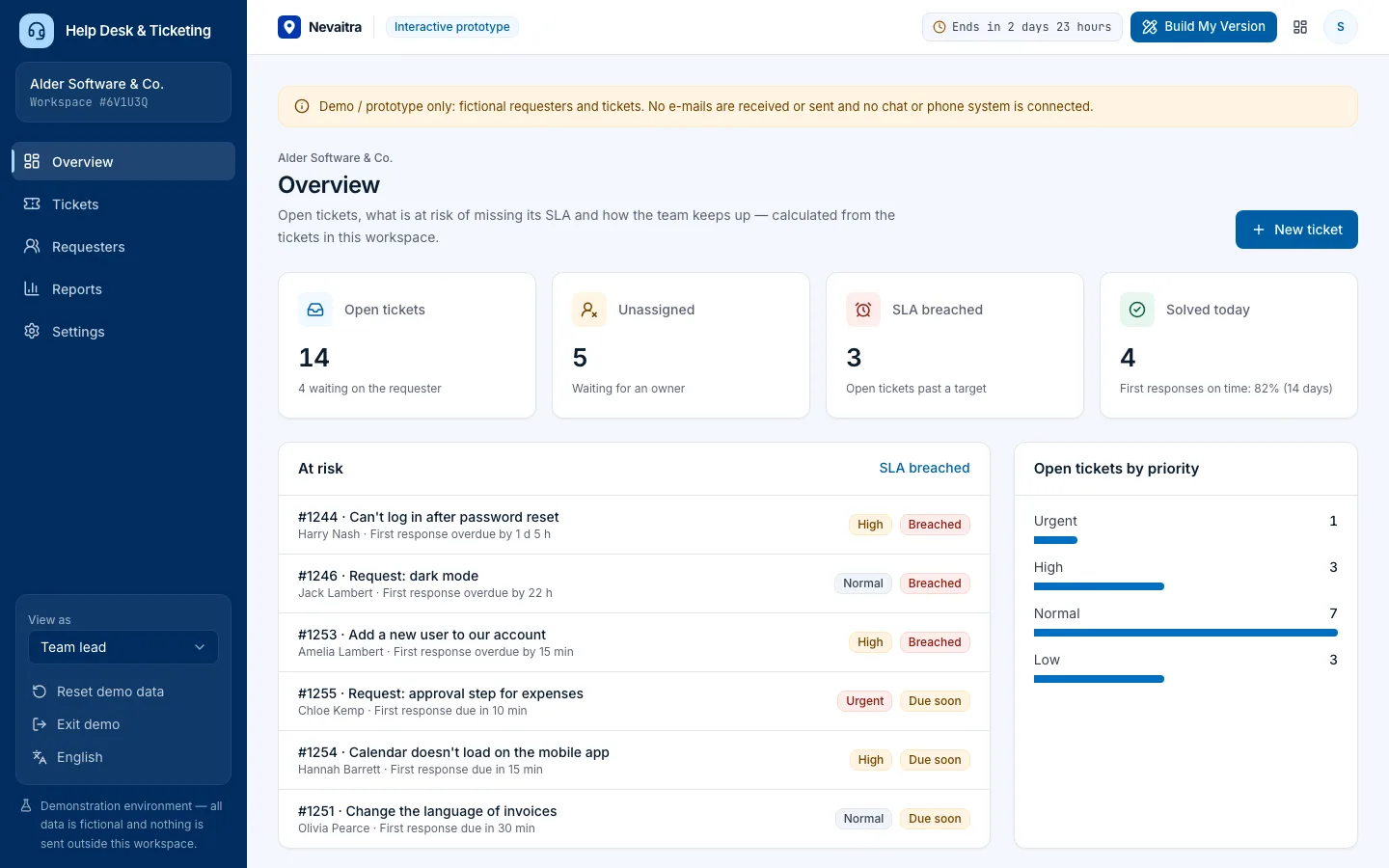
First-response and resolution targets per priority. The resolution clock pauses while a ticket is pending on the requester; breached and due-soon tickets stand out.
Ticket intake
Log requests from e-mail, web form, chat or phone for new or known requesters.
Saved replies
Insert standard answers into a reply with the requester's name filled in.
Queues
My open tickets, unassigned, all open, SLA breached, pending and solved — with counts and search.
Reports
Created vs. solved, SLA attainment, median first response and resolution time, categories, channels and agents.
Roles and settings
Team lead, support agent and a read-only manager view; SLA targets, categories and saved replies are editable.
Workflows you can try
01
Log a new request
Create a ticket for a caller, pick priority and category — the SLA timers start.
02
Triage the queue
Open Unassigned, take a ticket, raise its priority and see the SLA targets move.
03
Reply and wait on the customer
Send a public reply using a saved reply; the ticket goes to Pending and the resolution clock pauses.
04
Discuss internally
Add an internal note for a colleague — the requester never sees it.
05
Solve and close
Solve the ticket; a requester reply reopens it until it is closed.
06
Check the SLA report
See how many tickets met their first-response and resolution targets.
Screenshots from the live demo
Captured from the current version of the prototype.
Public replies and internal notes, clearly separatedWhat needs attention before it misses its target
How the live demo works
01Create an account or sign in with Google — no payment details needed.
02A private workspace filled with fictional sample data is created for you in seconds.
03Work through the workflows and switch the demo role in the sidebar to see what each role can do.
04Click “Build My Version” — your request includes the demo and the features you tried.
A fictional software company's support team of five agents
About 70 requesters and six weeks of tickets with full conversations
Tickets in every state, including fresh ones with SLA timers running or breached
Six categories, SLA targets per priority and four saved replies
Three demo roles: Team lead, Support agent and Support manager (read-only)
Demo limitations
Demo / prototype only — fictional requesters and tickets
No real e-mail, chat or phone channels; requester replies are logged by hand
SLA targets run in calendar time (no business-hours calendars)
No customer portal, knowledge base or satisfaction surveys
No automations, macros or escalation rules
What can be customized
E-mail inbox, web form and chat integration
Business-hours SLA calendars and escalations
Customer portal and knowledge base
Automations, macros and routing rules
Satisfaction surveys (CSAT) after solving
Integration with your CRM or product issue tracker
What happens when the demo ends
After 72 hours the workspace and every record you created are permanently deleted. Your account stays active, and you can request a customized version at any time.
Technologies
Next.js
TypeScript
PostgreSQL
Prisma
Tailwind CSS
Frequently asked questions
What is a ticketing system?+
A ticketing system turns every customer request into a ticket with an owner, a priority and a status, so nothing gets lost in a shared inbox. This demo covers intake, triage, public replies and internal notes, SLA targets, saved replies and reports.
How do the SLA targets work?+
Each priority has a first-response and a resolution target. The first public reply stops the first-response clock; time spent pending on the requester is added to the resolution target, so the team isn't penalised while waiting for the customer.
Can the requester see internal notes?+
No. Internal notes are stored with the ticket for the team only and are shown with a distinct colour and a lock icon.
What can a support agent do compared with a team lead?+
Agents work unassigned tickets and their own and can take a ticket themselves; team leads can assign anyone and change SLA targets, categories and saved replies.
How is this different from the CRM demo?+
The CRM follows sales opportunities before a deal is won. The help desk handles support requests from existing customers, with ownership, SLAs and conversations.