Skip to content
ServicesInteractive prototypeVersion 1.0.0

Appointment booking system for service businesses

Fill your calendar without double bookings.

Appointments, calendar, services, staff hours and customers for service businesses.

  • 72-hour private workspace
  • Pre-filled with synthetic data
  • Isolated from other users
  • No payment details required
9:41
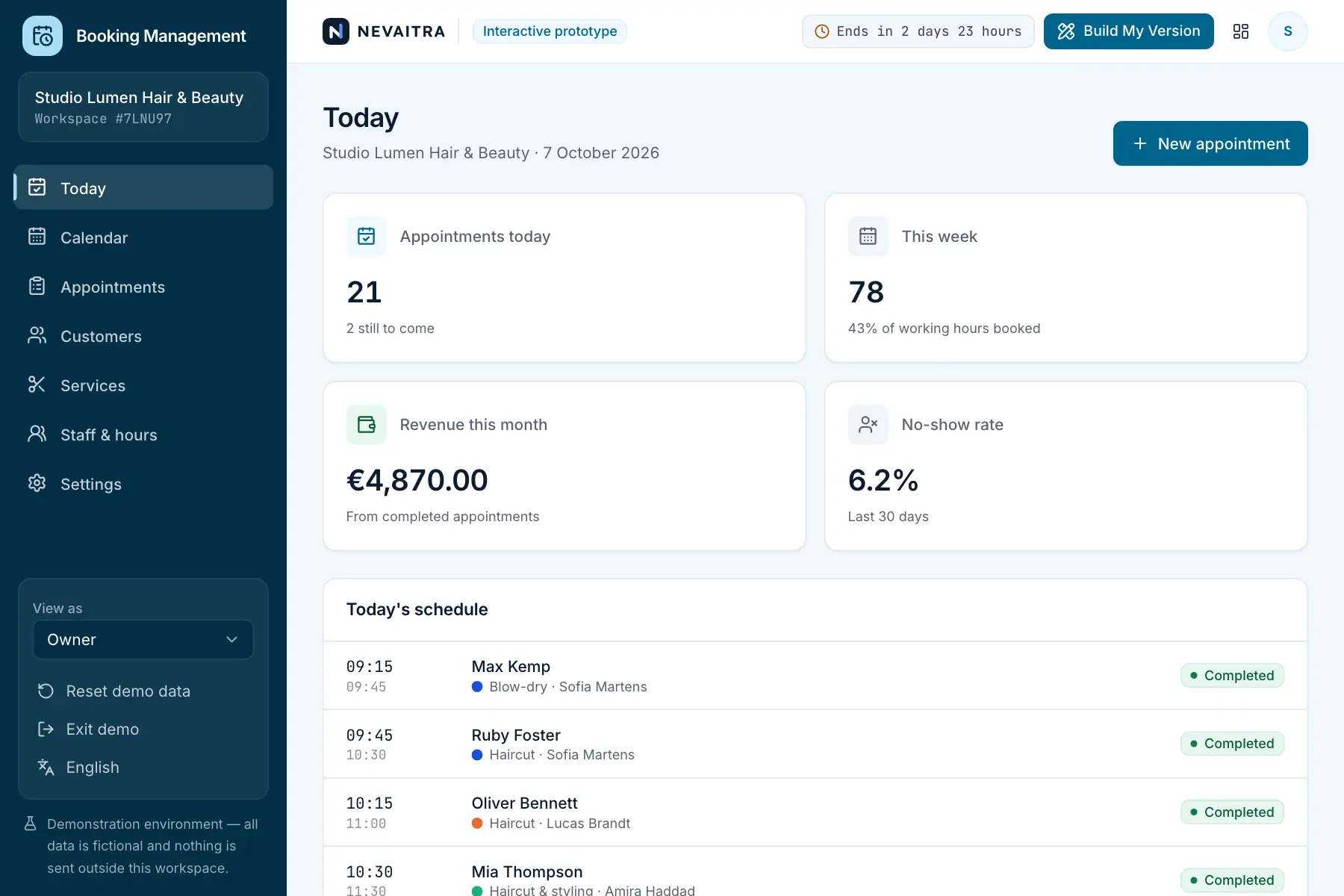
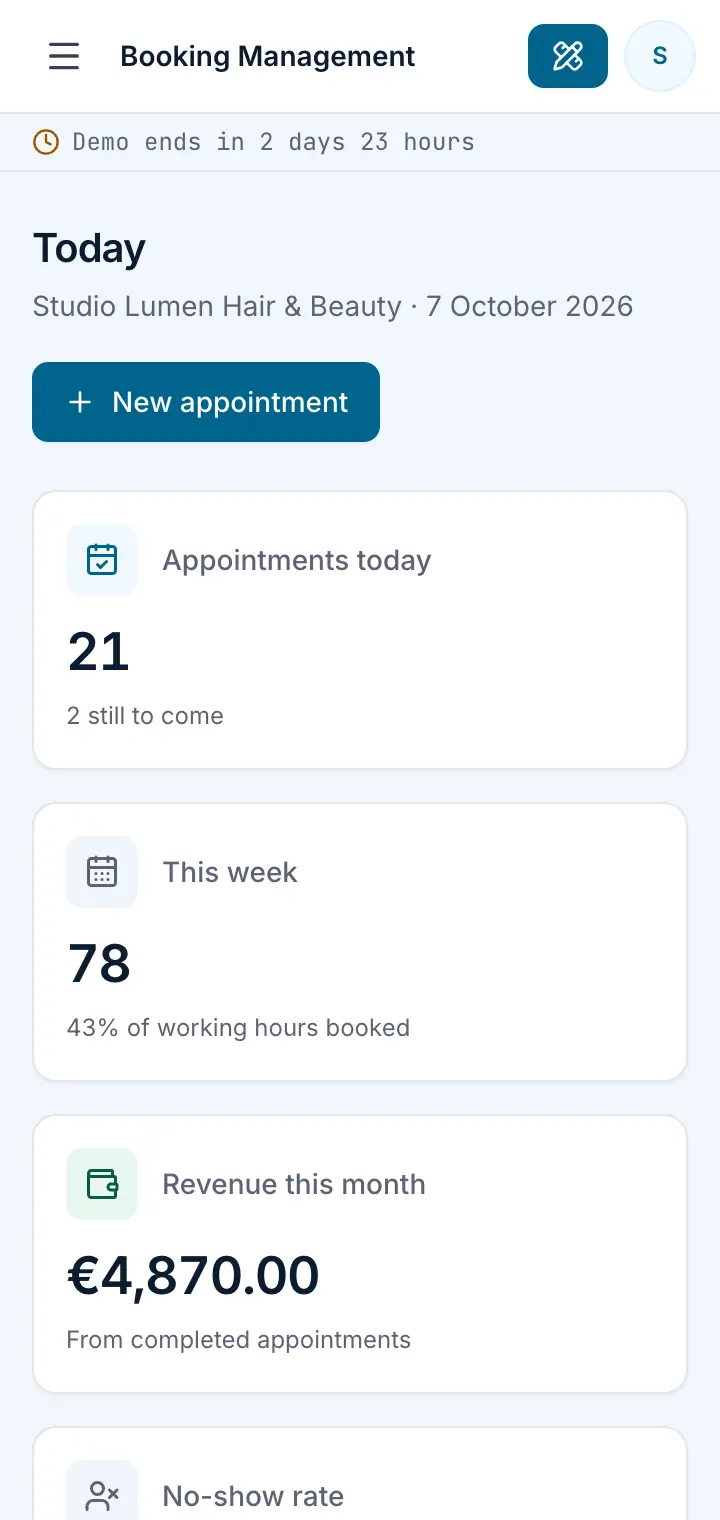
Guided preview: real screens from the live Booking Management demo, on a tablet and on a phone

What Booking Management does

An appointment management system prototype for service businesses such as salons, studios and consultancies. Book appointments into real availability, manage a weekly calendar per staff member, maintain services with durations and prices, and follow every appointment from pending to completed.

This is an interactive prototype for evaluation — not a hosted product you can subscribe to. A production version is built and adapted for your organization on request.

Who it is for

  • Salons, beauty studios and barbers
  • Clinics, therapists and coaches with appointment-based work
  • Consultancies and agencies that book meetings with clients
  • Any service business managing several staff calendars

Key features

Daily overview

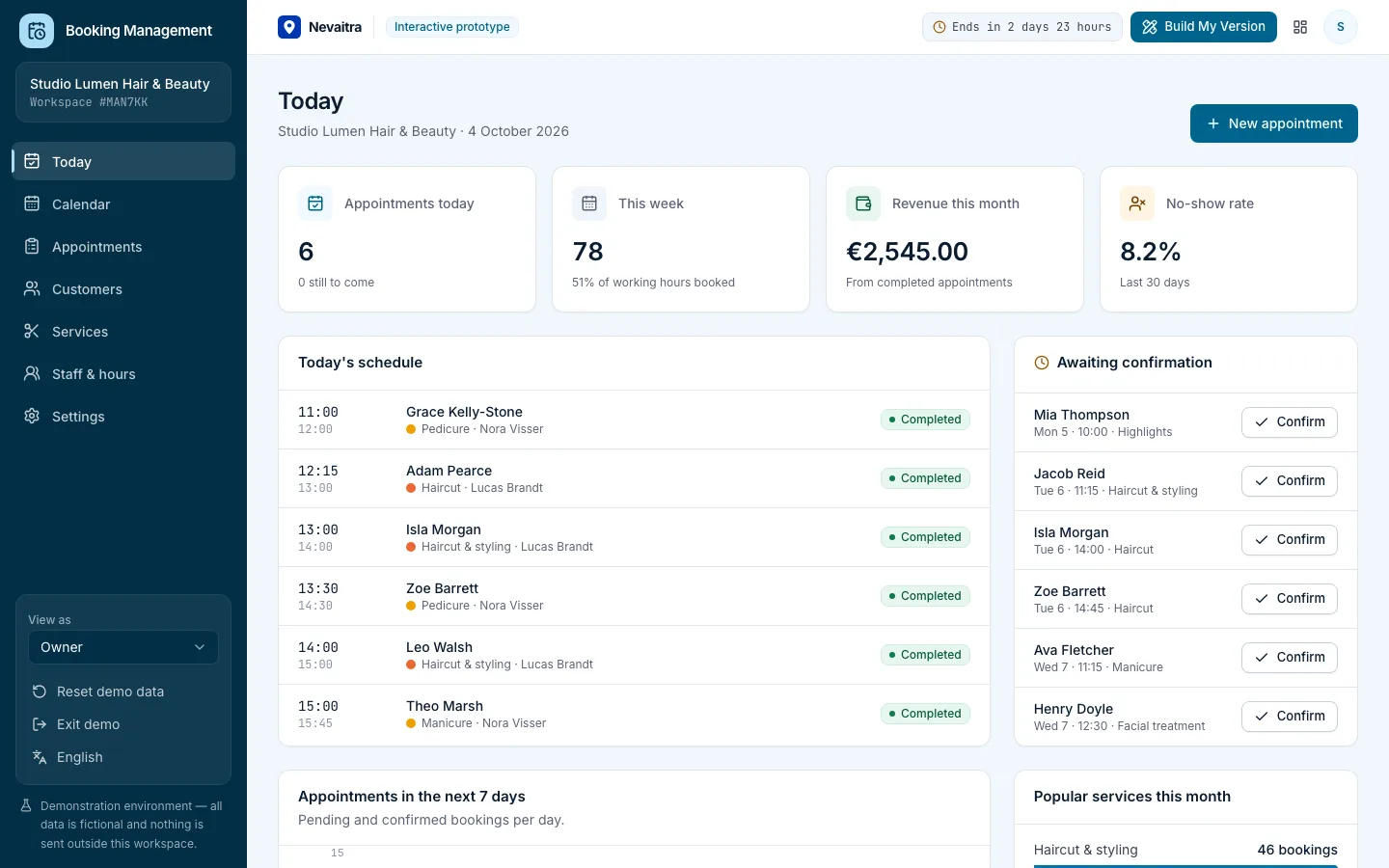
Today's schedule, bookings awaiting confirmation, weekly utilization and no-show rate.

Day and week calendar

A day view with a column per staff member and a week view per person, with time off shaded.

Availability-aware booking

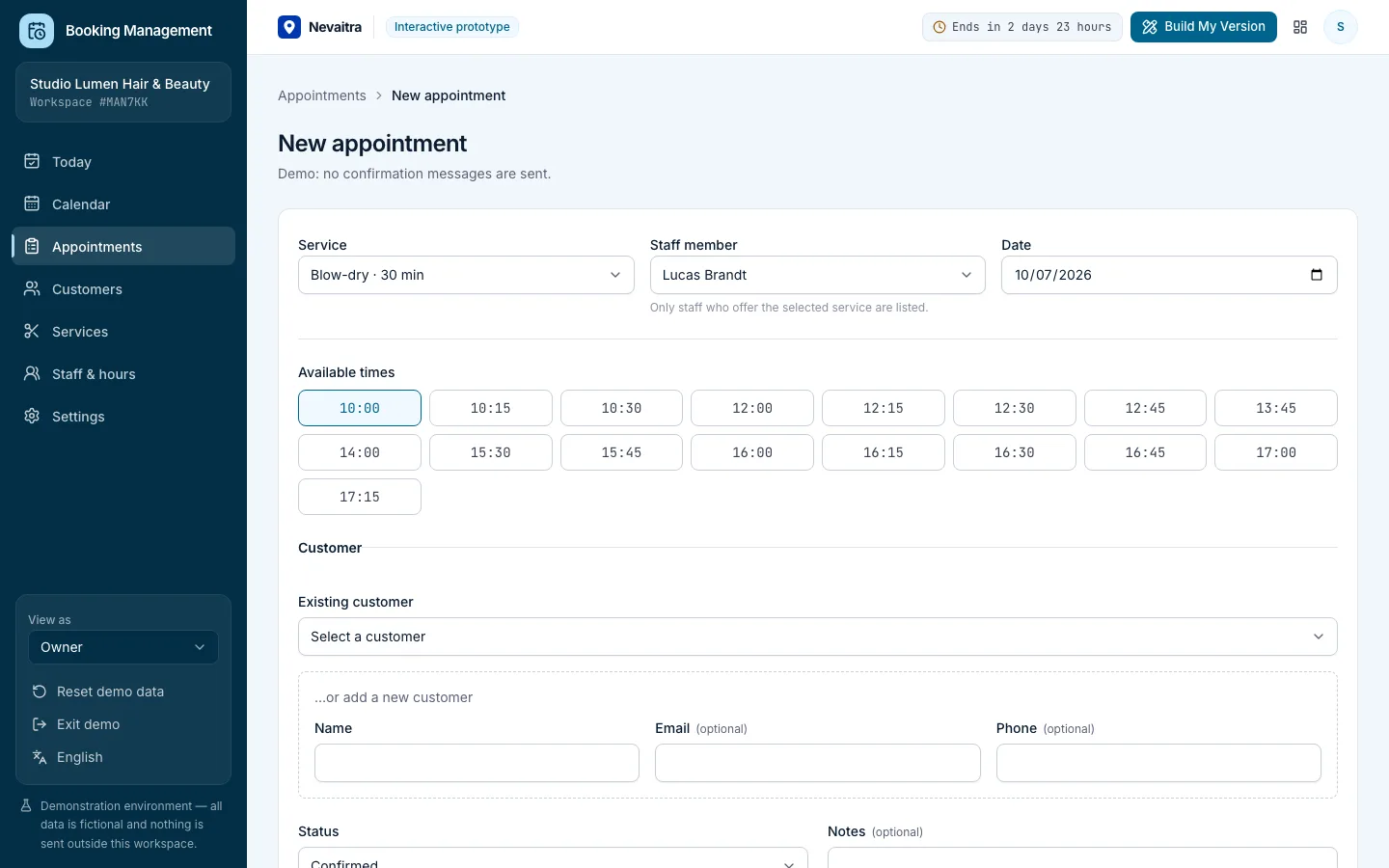
Only free times inside working hours are offered; double bookings are rejected.

Appointment lifecycle

Pending, confirmed, completed, cancelled and no-show — with timestamps for each step.

Services & pricing

Durations, prices and which staff members offer each service.

Staff & working hours

Weekly hours per staff member that drive the available booking times.

Customer history

Visits, spend, no-shows and upcoming appointments per customer.

Roles

Owner, front desk and staff member views with different permissions.

Workflows you can try

  1. 01

    Book an appointment

    Pick a service and staff member, choose from the free times of a day and add an existing or new customer.

  2. 02

    Run the day

    Confirm pending bookings, then mark appointments as completed or as no-shows.

  3. 03

    Reschedule

    Move an appointment to another free time or another staff member; conflicts are prevented.

  4. 04

    Plan working hours

    Change a staff member's weekly hours and see the available times change immediately.

  5. 05

    Maintain services

    Add a service with its duration and price, and choose who can perform it.

  6. 06

    Review customers

    See each customer's visit history, total spend and no-shows.

Screenshots from the live demo

Captured from the current version of the prototype.

New appointment form offering only free times
Booking into real availability — double bookings are impossible
Booking dashboard with the day's schedule and bookings awaiting confirmation
Today at a glance

How the live demo works

  1. 01Create an account or sign in with Google — no payment details needed.

  2. 02A private workspace filled with fictional sample data is created for you in seconds.

  3. 03Work through the workflows and switch the demo role in the sidebar to see what each role can do.

  4. 04Click “Build My Version” — your request includes the demo and the features you tried.

What the demo includes

  • A fictional studio with 8 services and 4 staff members
  • Weekly working hours per staff member
  • Around 20 fictional customers
  • Several weeks of past appointments and two weeks of upcoming bookings
  • Three demo roles: Owner, Front desk and Staff member

Demo limitations

  • All data is synthetic and is deleted when the demo ends
  • No emails, SMS reminders or calendar invitations are sent
  • No online payments or deposits
  • No public booking page for customers in this prototype
  • One location; no rooms, resources or waiting lists

What can be customized

  • A public online booking page with your branding
  • Email/SMS confirmations and reminders
  • Deposits and online payments
  • Multiple locations, rooms and resources
  • Calendar sync with Google or Microsoft 365
  • Packages, memberships and gift cards

What happens when the demo ends

After 72 hours the workspace and every record you created are permanently deleted. Your account stays active, and you can request a customized version at any time.

Technologies

  • Next.js
  • TypeScript
  • PostgreSQL
  • Prisma
  • Tailwind CSS

Frequently asked questions

What is an appointment booking system?

Software that manages the appointments of a service business: which services are offered, who performs them and when each staff member works, so bookings only land in free times. This demo covers the in-house side — calendar, appointments, services, staff hours and customers — for the owner and front desk; it has no public booking page for customers.

Can two appointments overlap for the same staff member?

No. The server checks working hours and existing appointments inside a transaction before any booking or reschedule is saved.

Which time zone is used?

The demo uses your browser's time zone for the fictional business; it can be changed in the settings.

Is this a finished product I can subscribe to?

No. It's an interactive prototype to evaluate the workflows. A production version is built and adapted for your organization.

View all projects
ServicesLive demo
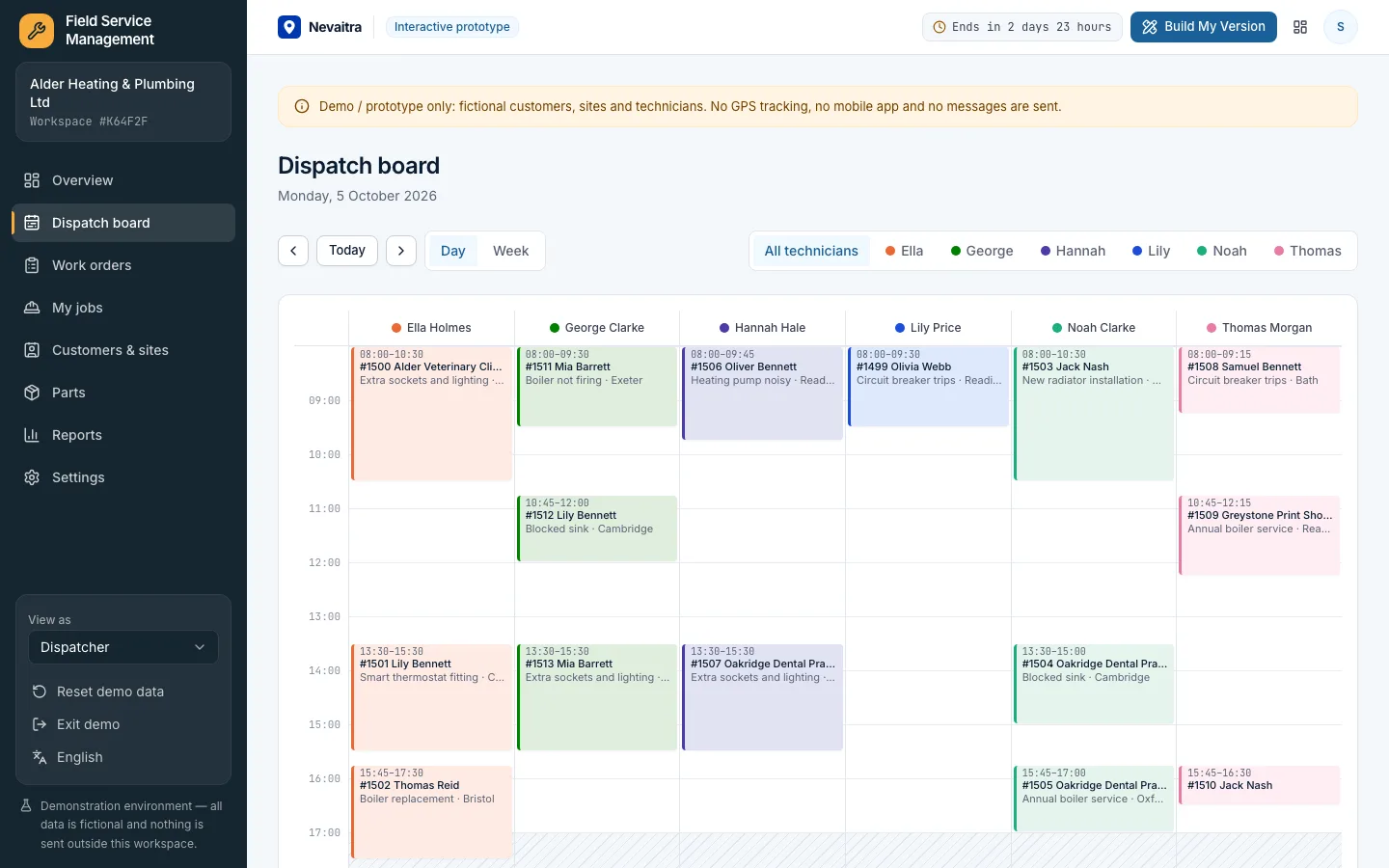
Dispatch board with a column per technician and scheduled work orders

Field Service Management

Work orders, a dispatch board without double-booked technicians, parts and labour on every job, customer sign-off and a printable job report.

  • Dispatch board
  • Work orders with a clear status
  • The technician's day
  • Parts and labour

Built with: Next.js · TypeScript · PostgreSQL · Prisma
ServicesLive demo
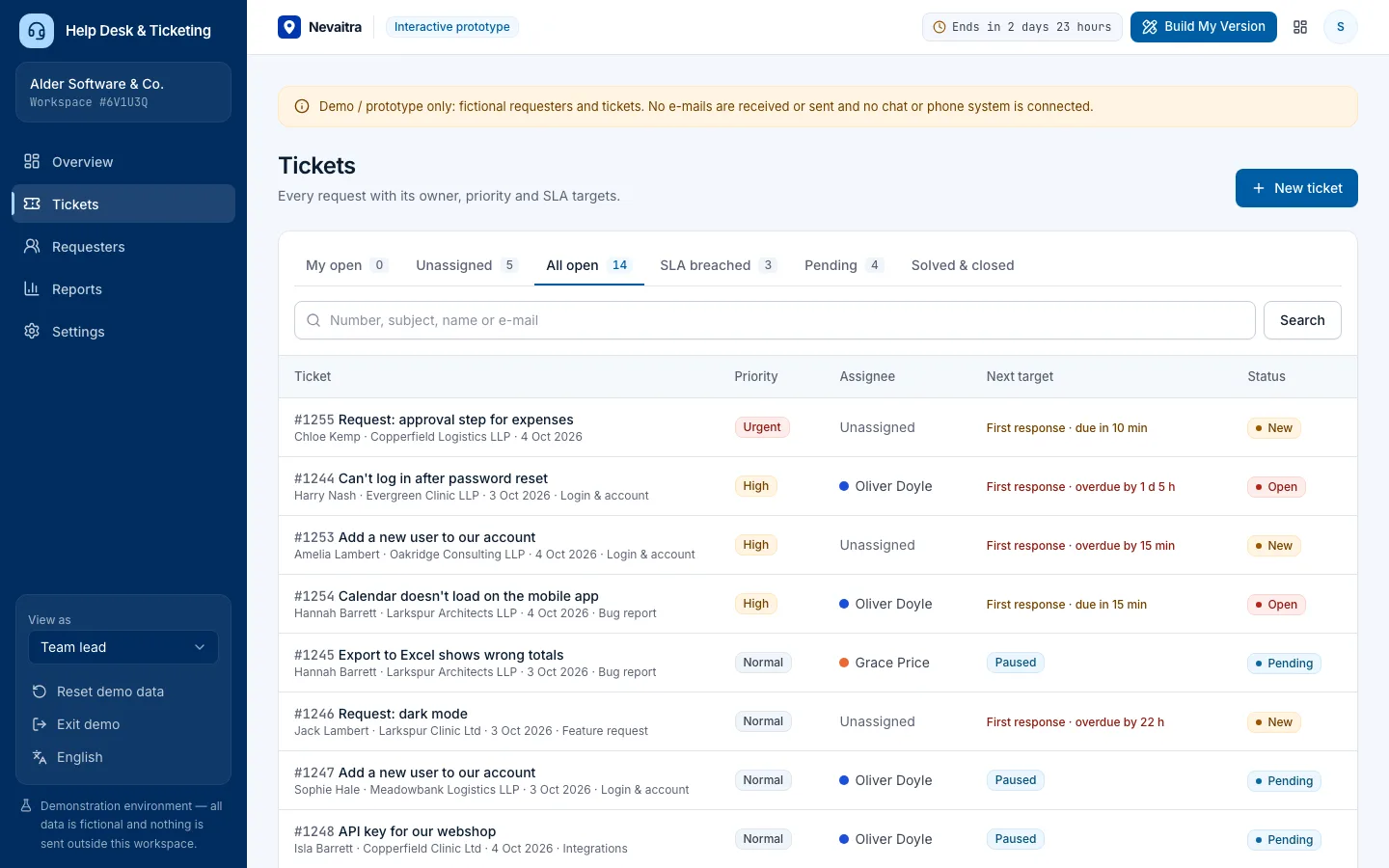
Ticket queue with priority, assignee and the next SLA target of each ticket

Help Desk & Ticketing

Tickets with owners, priorities and categories, public replies and internal notes, SLA targets that pause while waiting on the customer, and support reports.

  • Tickets and conversations
  • Triage and ownership
  • SLA targets
  • Ticket intake

Built with: Next.js · TypeScript · PostgreSQL · Prisma
HealthcareLive demo
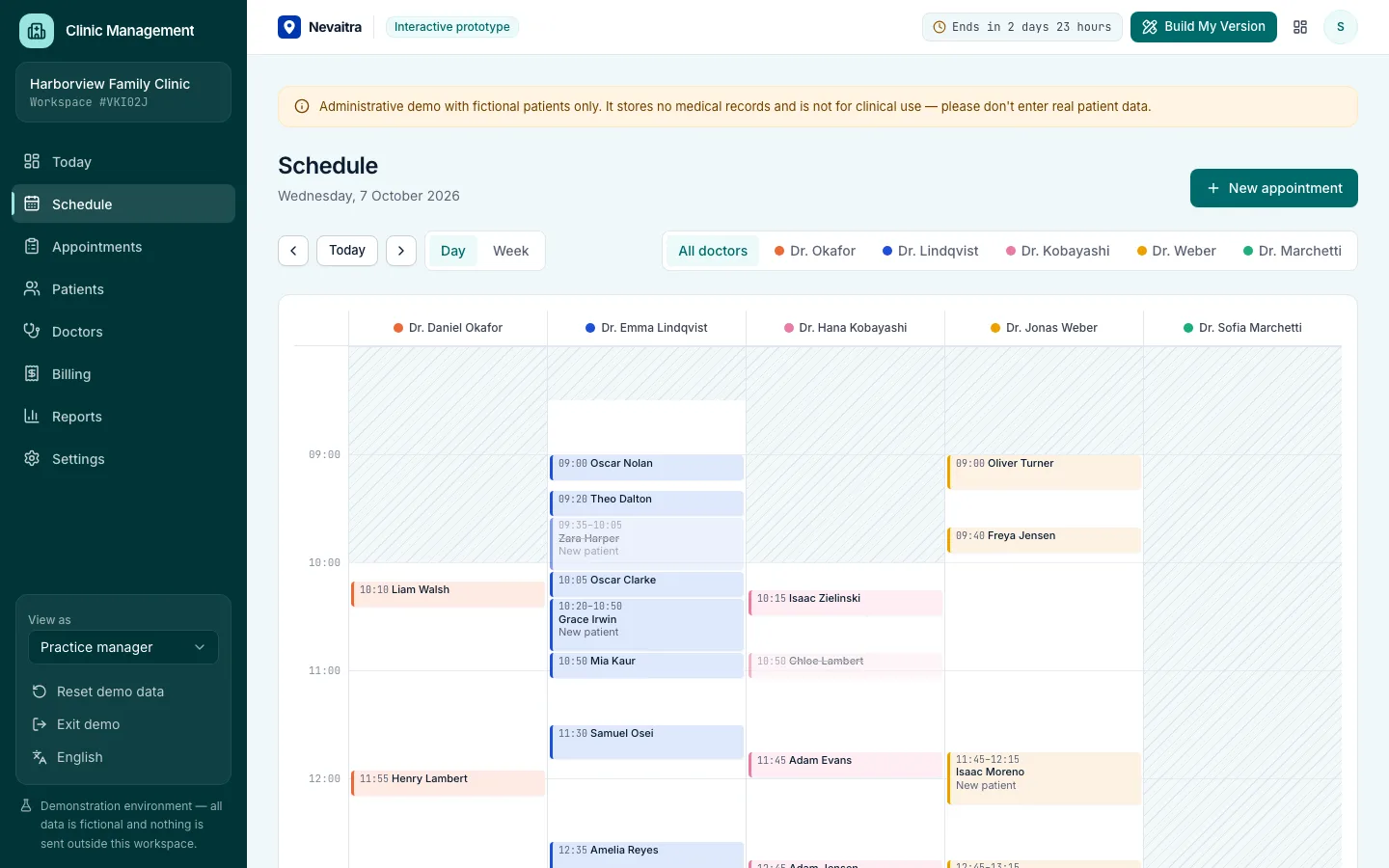
Clinic schedule with a column per doctor and consulting hours shaded

Clinic Management

Front desk, doctor schedules, patient flow and billing for outpatient clinics — administration only.

  • Front-desk overview
  • Doctor schedules
  • Booking into real availability
  • Patient flow

Built with: Next.js · TypeScript · PostgreSQL · Prisma

Want this system, adapted to how you work?

Request a customized version. Mention what you tried in the demo and what needs to be different.