E-commerce software with a storefront, fulfilment and discount codes
From “Add to cart” to the parcel at the door — and back again.
A shop back office with a working storefront: products in sizes and colours, checkout with discount codes, fulfilment with tracking, returns, customers and abandoned carts.
Guided preview: real screens from the live E-commerce Management demo, on a tablet and on a phone
What E-commerce Management does
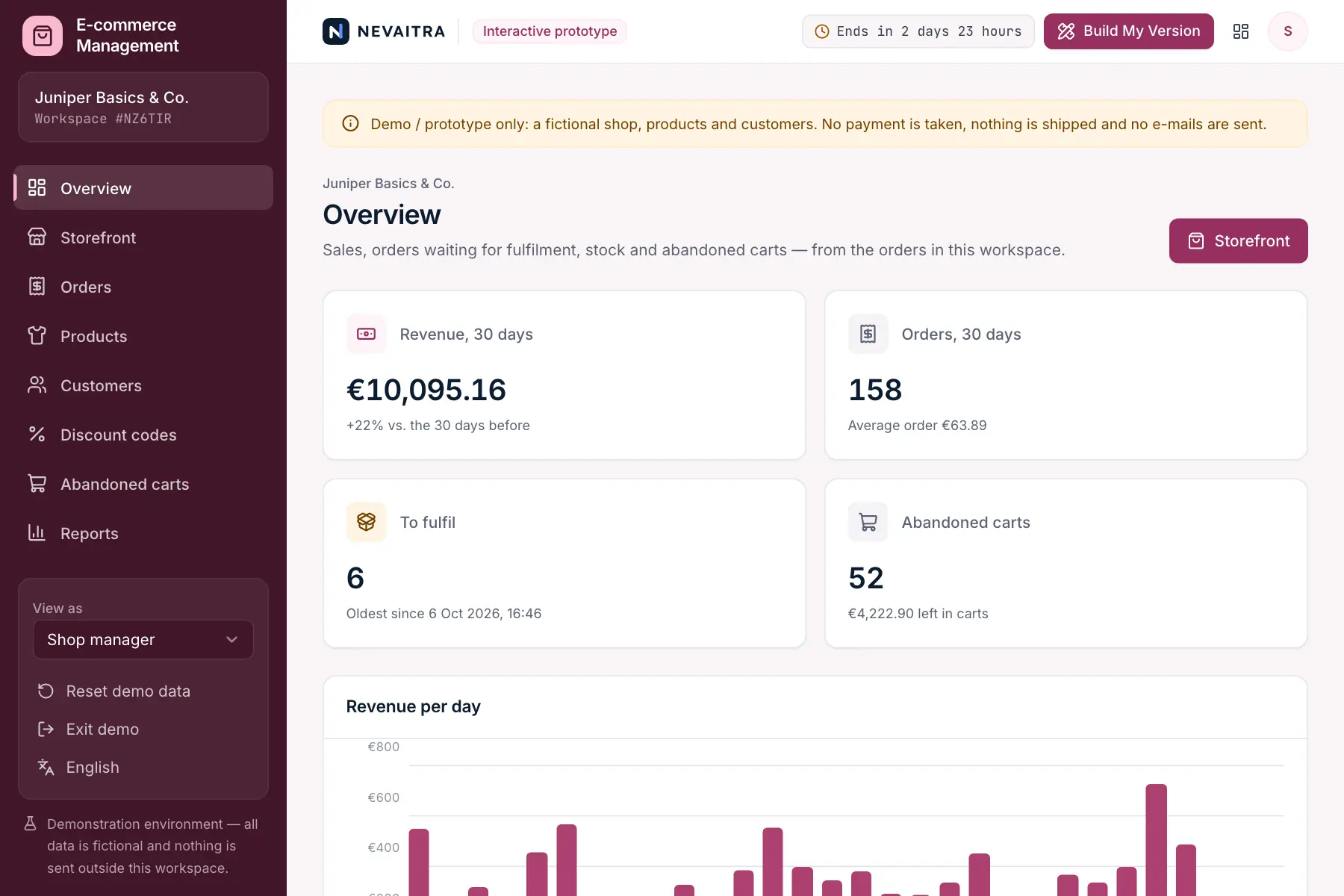
An e-commerce prototype for brands and retailers that sell online. Shoppers browse a storefront, pick a size and colour, apply a discount code and check out; the order lands in the back office, where the team packs it, ships it with a tracking number and marks it delivered — or cancels it or takes it back with a refund. Stock, customers, discount codes, abandoned carts and sales reports all follow from the same orders.
This is an interactive prototype for evaluation — not a hosted product you can subscribe to. A production version is built and adapted for your organization on request.
Who it is for
Fashion, lifestyle and product brands selling direct to consumers
Retailers adding an online shop to their stores
Small teams that pack and ship their own orders
Marketing teams running discount campaigns
Key features
Storefront
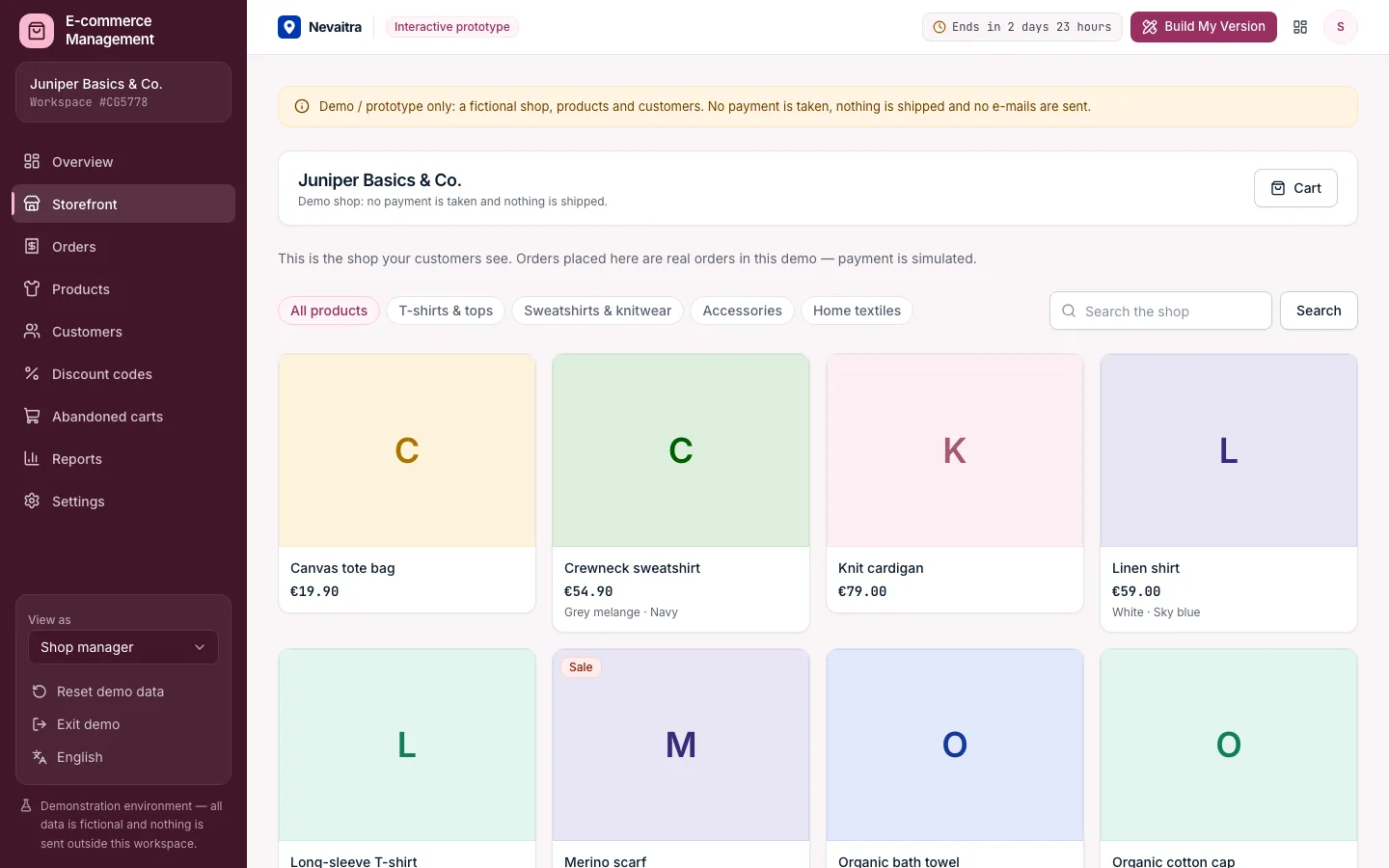
Categories, search and products in sizes and colours, with sale prices and stock per variant. Sold-out variants can't be added to the cart.
Cart and checkout
Quantities are checked against stock, discount codes against their conditions; free shipping from a threshold and the VAT included are shown live. At checkout, prices, stock and the code are checked again.
Orders
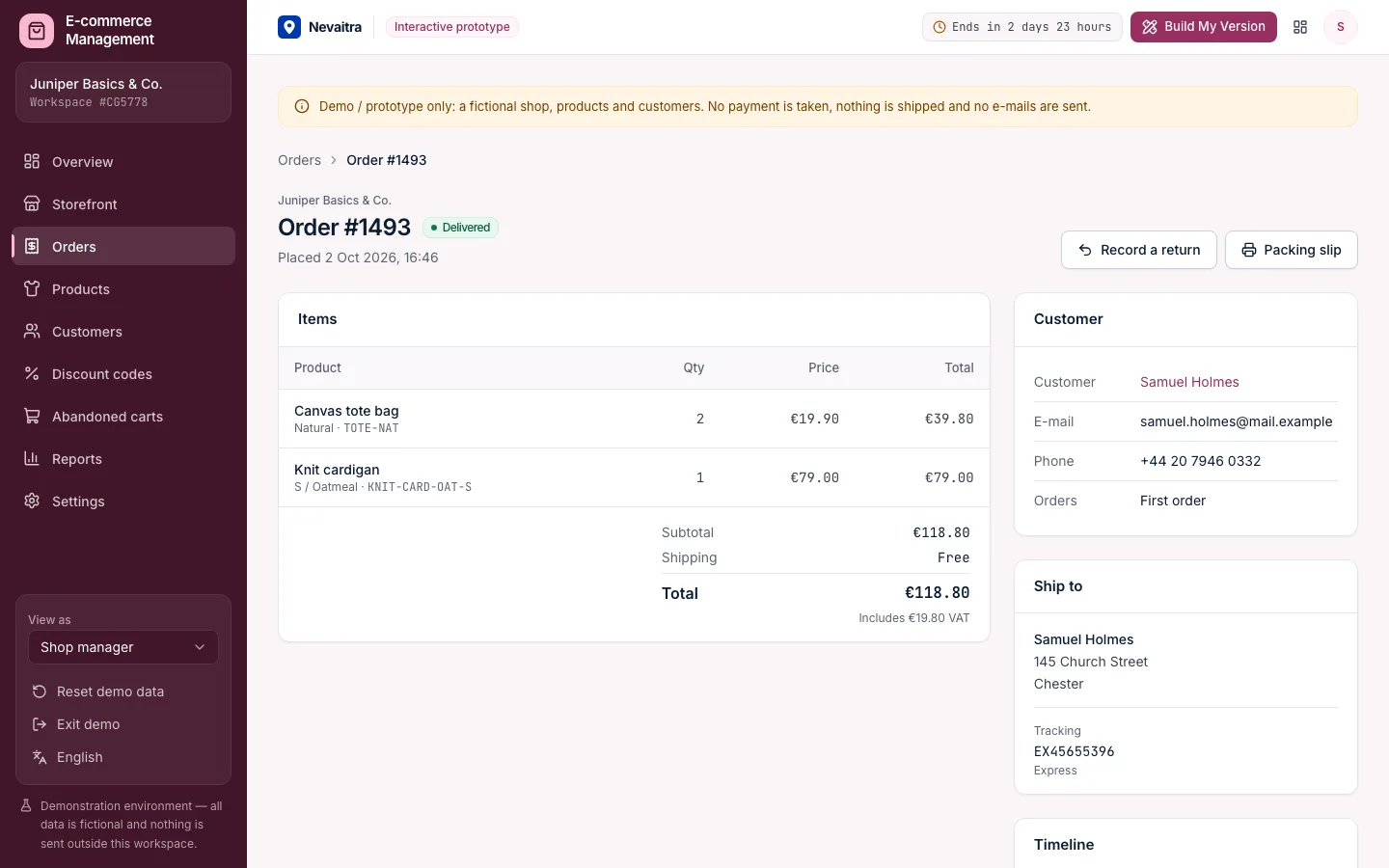
Every order with its lines as sold, the customer, delivery address, totals and a timeline. Filter by what needs doing, search by number, customer, e-mail or tracking number.
Fulfilment
Pack, ship with a shipping method and tracking number, and mark as delivered. Every step is timestamped, and a printable packing slip lists what goes in the box.
Cancellations and returns
Orders not yet shipped can be cancelled — refunded and restocked. Delivered orders can be returned, with or without putting the goods back into stock.
Products and variants
Up to 30 variants per product, each with its own SKU, price, “was” price and stock. Drafts stay out of the shop; archived products keep their order history.
Discount codes
Percentage, fixed amount or free shipping, with a minimum order, start and end dates and a usage limit — and how often each code was used and what it brought in.
Abandoned carts
Carts with an e-mail address left for over an hour, their value, the reminders sent and how many reminded carts came back as orders.
Reports
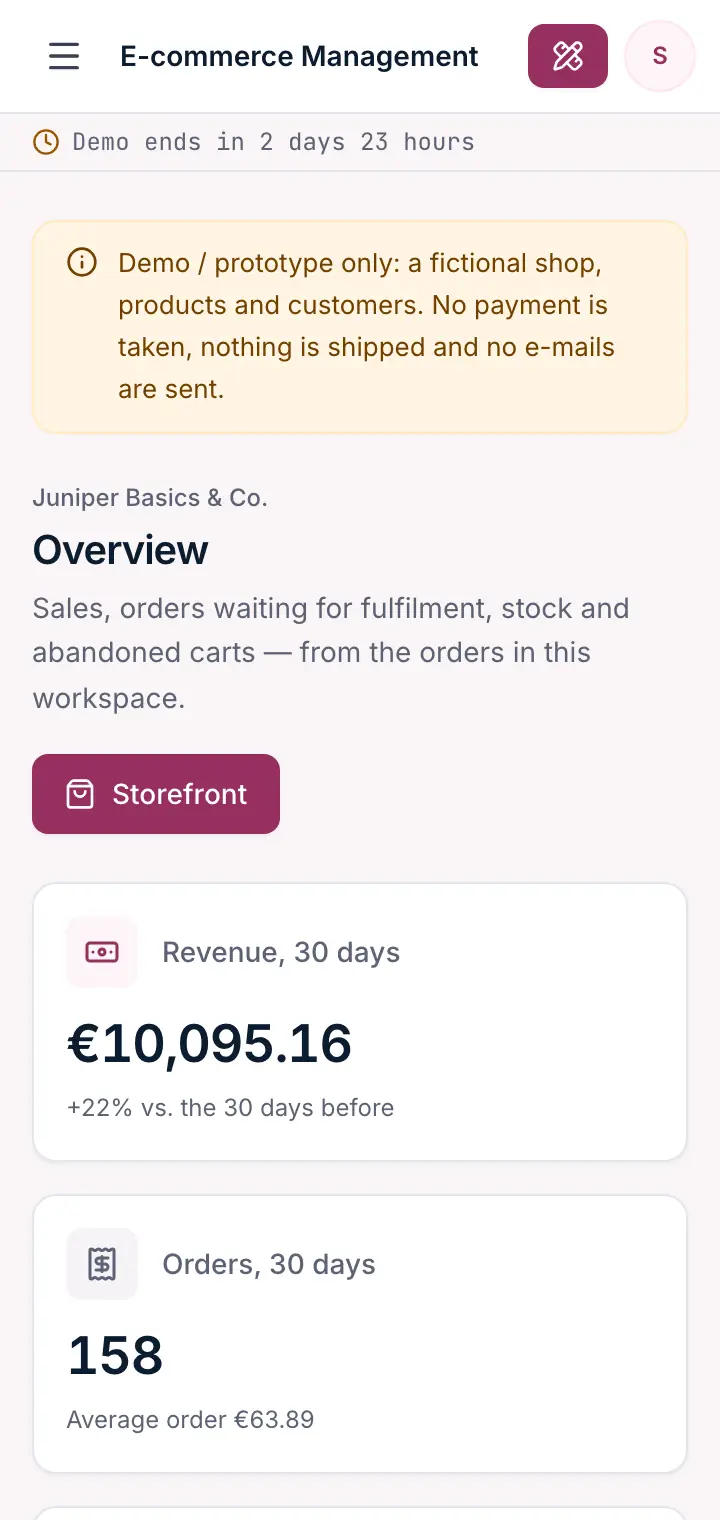
Revenue per week, average order, returning customers, return rate, median time to ship, best sellers, categories and discount codes over 30, 90 or 180 days.
Workflows you can try
01
Place an order
Open the storefront, choose a size and colour, apply WELCOME10 and check out.
02
Fulfil it
Open the new order, mark it packed, ship it with a tracking number and mark it delivered.
03
Handle a return
Record a return on a delivered order and decide whether the goods go back into stock.
04
Restock a best seller
Find the variants running low on the overview and set their new stock.
05
Run a campaign
Create a code with a minimum order and an end date, then try it in the storefront.
06
Win back a cart
Send a reminder for an abandoned cart and follow recovered carts in the numbers.
Screenshots from the live demo
Captured from the current version of the prototype.
A working shop: add to cart, apply a code and check outPack, ship with tracking, deliver — or take it back with a refund
How the live demo works
01Create an account or sign in with Google — no payment details needed.
02A private workspace filled with fictional sample data is created for you in seconds.
03Work through the workflows and switch the demo role in the sidebar to see what each role can do.
04Click “Build My Version” — your request includes the demo and the features you tried.
A fictional online shop for organic cotton basics with four categories
15 products with 75 size and colour variants — one sold out, one still a draft
About 500 orders from the last 100 days in every state, including cancellations and returns
Five discount codes: live, expired, scheduled and with conditions
Abandoned carts, reminders and carts won back after a reminder
Three demo roles: Shop manager, Fulfilment and Marketing
Demo limitations
Demo / prototype only — fictional shop, products and customers
No real payment, shipping labels or carrier connection
No e-mails are sent; cart reminders are only recorded
No product photos — placeholder artwork in the product's colour
Returns cover the whole order; no partial refunds or exchanges
One currency and one VAT rate per shop
What can be customized
Payment providers and real carrier labels
Product photos, reviews and search-optimised product pages
Partial returns, exchanges and store credit
Several warehouses, currencies and tax rules
E-mail flows: confirmations, shipping updates and cart reminders
Integration with inventory, accounting or marketplaces
What happens when the demo ends
After 72 hours the workspace and every record you created are permanently deleted. Your account stays active, and you can request a customized version at any time.
Technologies
Next.js
TypeScript
PostgreSQL
Prisma
Tailwind CSS
Frequently asked questions
What does e-commerce management software do?+
It runs the back office of an online shop: the catalogue with variants and stock, the orders coming in from the storefront, their fulfilment and returns, customers and promotions. This demo includes a working storefront, so you can place an order and follow it all the way through.
Is any payment taken in the demo?+
No. Checkout is simulated: the order is created as paid, no card is charged, nothing is shipped and no e-mail is sent.
How does stock stay correct?+
Stock is checked when an item goes into the cart and again at checkout, where orders are placed one after another — so two shoppers can't both buy the last unit. Cancellations put the goods back automatically; returns do when you choose to.
How do discount codes work?+
A code gives a percentage, a fixed amount or free shipping, optionally with a minimum order, a validity period and a usage limit. The storefront tells the shopper exactly why a code can't be used — expired, not started yet, used up or below the minimum order.
When does a cart count as abandoned?+
When a shopper entered an e-mail address but didn't order within an hour. One reminder can be recorded per cart; if the shopper orders after it, the cart counts as recovered.
How is this different from the POS and inventory demos?+
The POS demo is a till for selling in a store, and the inventory demo manages stock across warehouses and suppliers. E-commerce sells online and adds the storefront, shipping with tracking, returns, discount codes and abandoned carts.
Projects with milestones, a Kanban board, task comments, time tracking against tasks, budget vs. actual in hours and money, and a read-only client view.
Kanban board
Tasks
Milestones
Time tracking
Built with: Next.js · TypeScript · PostgreSQL · Prisma
Properties, units, leases and tenants with a monthly rent roll, partial payments, arrears ageing and maintenance requests — for landlords and property managers.
Properties and units
Leases without double letting
Monthly rent roll
Tenants and partial payments
Built with: Next.js · TypeScript · PostgreSQL · Prisma