Skip to content
ServicesInteractive prototypeVersion 1.0.0

Field service management software

From the customer's call to a signed-off job report, ready to invoice.

Work orders, a dispatch board without double-booked technicians, parts and labour on every job, customer sign-off and a printable job report.

  • 72-hour private workspace
  • Pre-filled with synthetic data
  • Isolated from other users
  • No payment details required
9:41
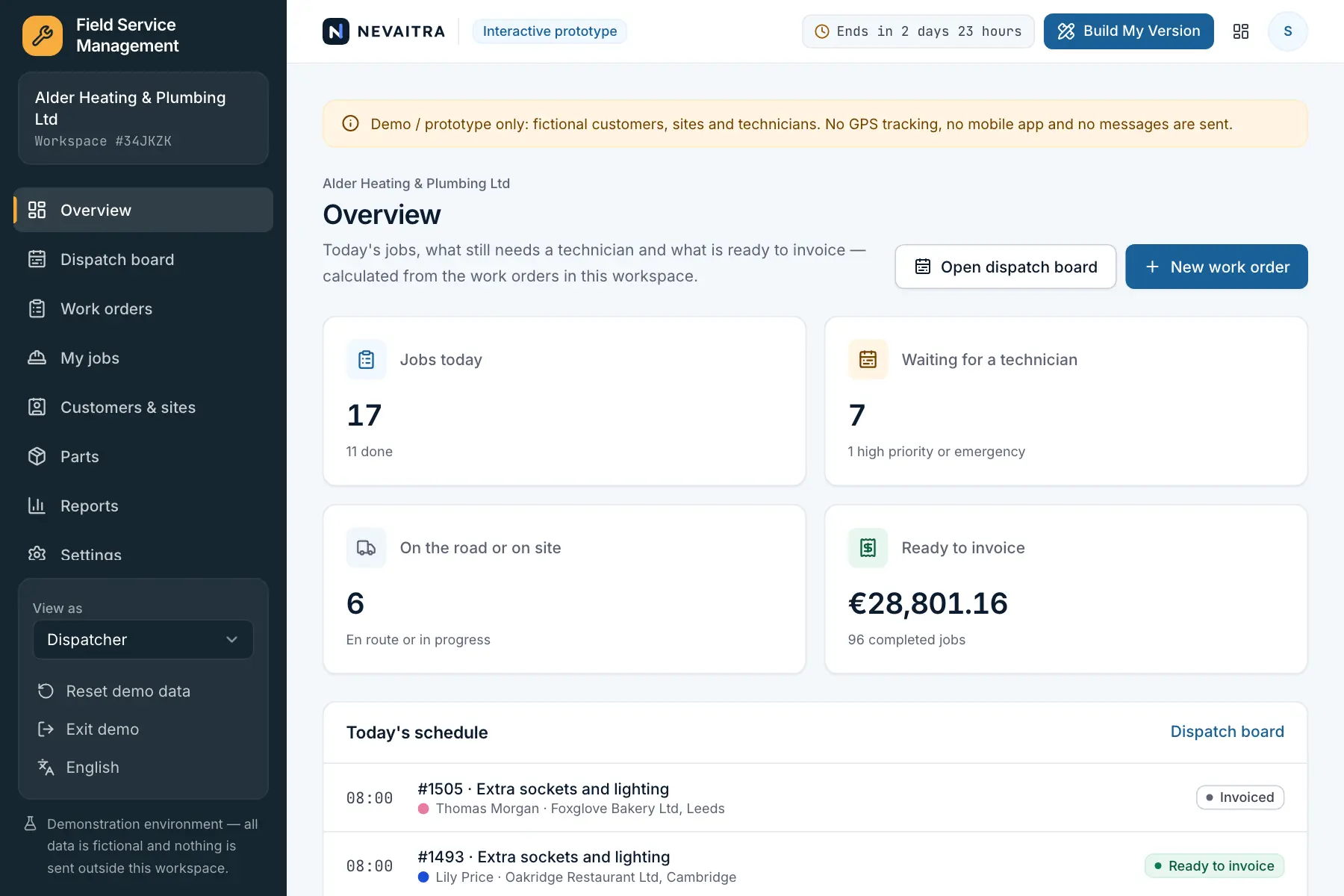
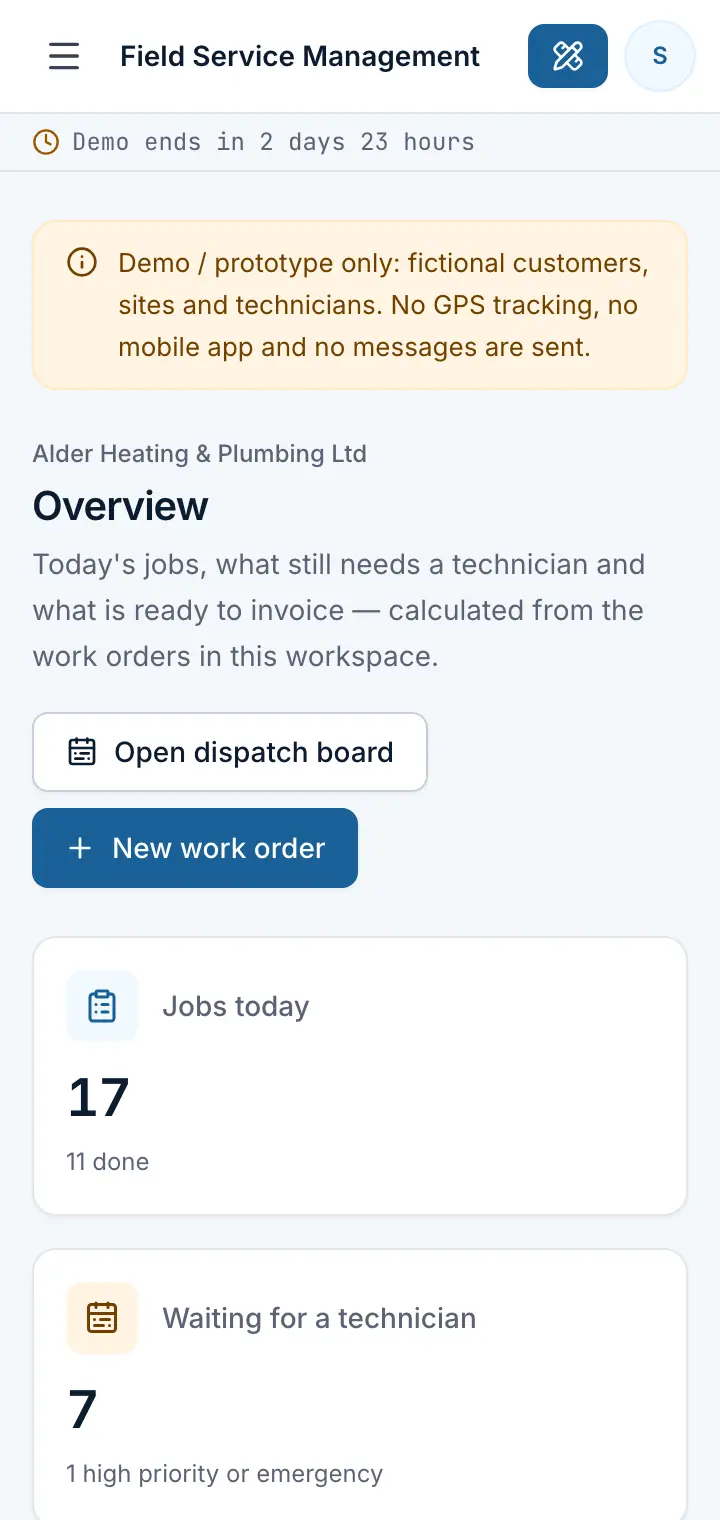
Guided preview: real screens from the live Field Service Management demo, on a tablet and on a phone

What Field Service Management does

A field service prototype for installers and repair companies — heating, plumbing, electrical and maintenance. Take a request for a customer site, assign the right technician on the dispatch board (no overlapping jobs), follow the job from en route to on site, record time and parts, capture the customer's sign-off and hand over a job report that is ready to invoice.

This is an interactive prototype for evaluation — not a hosted product you can subscribe to. A production version is built and adapted for your organization on request.

Who it is for

  • Heating, plumbing and electrical installers
  • Maintenance and repair companies with technicians on the road
  • Facility service providers working at many customer sites
  • Office teams that plan jobs on whiteboards and paper job sheets

Key features

Dispatch board

A day and week board with one column per technician; assign waiting jobs to a time slot. Overlapping jobs for the same technician are refused.

Work orders with a clear status

New → scheduled → en route → in progress → ready to invoice → invoiced, with every step and assignment in the history.

The technician's day

Each technician sees their jobs in order with address, access notes and phone, and moves them forward from the site.

Parts and labour

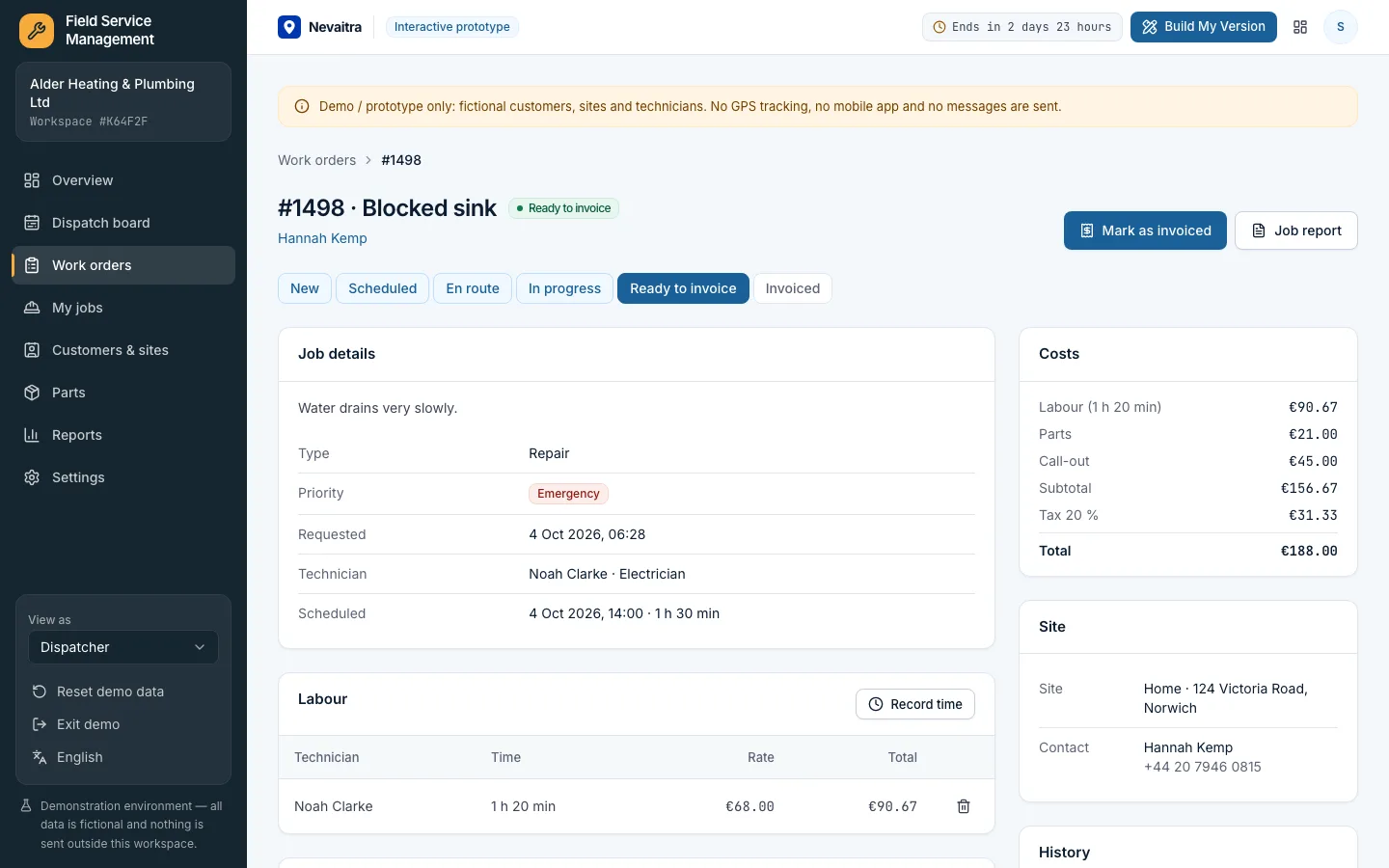
Record time and parts from the catalogue (or custom items) on the job; costs with call-out fee and tax are calculated exactly.

Sign-off and job report

Completion needs the work done, recorded time and the customer's name as sign-off; the printable job report goes with the invoice.

Customers and sites

Homeowners and businesses with one or more sites, access notes and the full job history.

Overview and analytics

Today's schedule, technician load, jobs waiting for a technician, value ready to invoice, and revenue by month, type, technician and customer.

Roles

Dispatcher, technician (only their own jobs) and a read-only owner view.

Workflows you can try

  1. 01

    Take a request

    Create a work order for a customer site with type, priority and the problem described.

  2. 02

    Dispatch a technician

    Assign a waiting job on the dispatch board; a slot that overlaps the technician's other jobs is refused.

  3. 03

    Work the job on site

    Switch to the technician role, mark the job en route, start work, add parts and time.

  4. 04

    Complete with sign-off

    Describe the work done and record the customer's name as sign-off; the job is ready to invoice.

  5. 05

    Hand over the job report

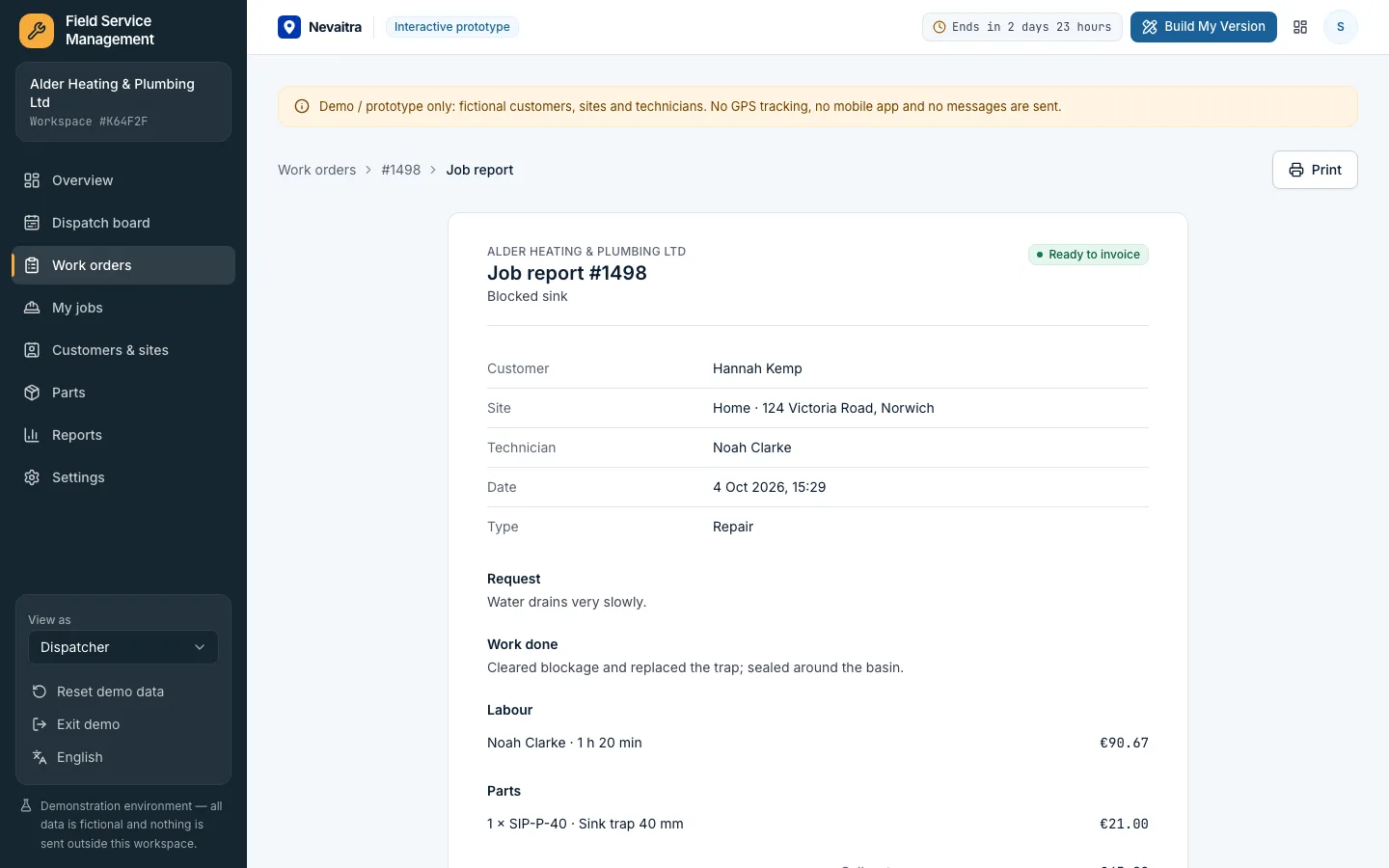
    Open the printable job report with labour, parts, totals and sign-off, then mark the job as invoiced.

  6. 06

    Review the month

    See completed jobs, revenue, average time on site and who did the work.

Screenshots from the live demo

Captured from the current version of the prototype.

Completed work order with labour, parts, costs and the customer's sign-off
Time and parts recorded on the job, ready to invoice
Printable job report with the work done, costs and customer sign-off
The job report that goes with the invoice

How the live demo works

  1. 01Create an account or sign in with Google — no payment details needed.

  2. 02A private workspace filled with fictional sample data is created for you in seconds.

  3. 03Work through the workflows and switch the demo role in the sidebar to see what each role can do.

  4. 04Click “Build My Version” — your request includes the demo and the features you tried.

What the demo includes

  • A fictional installer with six technicians and about 35 homeowners and businesses
  • Eight weeks of work orders with time, parts, sign-off and status history
  • Today's jobs on the road and on site, next week on the board and new requests waiting
  • A parts catalogue and rates in the currency of the language you start the demo in
  • Three demo roles: Dispatcher, Technician and Owner (read-only)

Demo limitations

  • Demo / prototype only — fictional customers, sites and technicians
  • No GPS tracking, route optimisation or native mobile app
  • No stock levels for parts — see the Inventory project for that
  • No invoices or payments — jobs are marked ready to invoice and invoiced
  • Sign-off is the customer's typed name, not a drawn signature

What can be customized

  • Mobile app with offline mode, photos and drawn signatures
  • Trade-specific checklists and certificates (gas safety, electrical testing)
  • Route planning and live technician location
  • Service contracts with recurring maintenance visits
  • Van stock and purchasing of parts
  • Invoicing through your accounting system

What happens when the demo ends

After 72 hours the workspace and every record you created are permanently deleted. Your account stays active, and you can request a customized version at any time.

Technologies

  • Next.js
  • TypeScript
  • PostgreSQL
  • Prisma
  • Tailwind CSS

Frequently asked questions

What is field service management software?

Field service management software plans and tracks work done at customer sites: requests become work orders, a dispatcher assigns technicians, the technicians record their time, parts and the customer's sign-off, and completed jobs go to invoicing. This demo covers all of those steps.

Can a technician be double-booked?

No. When a job is scheduled, the technician's other scheduled, en-route and in-progress jobs are checked on the server; overlapping times are refused, even if two dispatchers try at the same moment.

What can a technician see and do?

Technicians see the whole board but can only move their own jobs forward, add parts and time to them and complete them with the customer's sign-off. Planning and invoicing stay with the dispatcher.

How are job costs calculated?

Labour is billed per minute at the hourly rate recorded with each entry, parts at quantity × price, plus a call-out fee per job and tax on the subtotal, using exact decimal arithmetic.

How is this different from the Booking demo?

Booking schedules customers into your own staff's calendar. Field service sends technicians to customer sites and records the work done there: parts, time, sign-off and job reports.

View all projects
ServicesLive demo
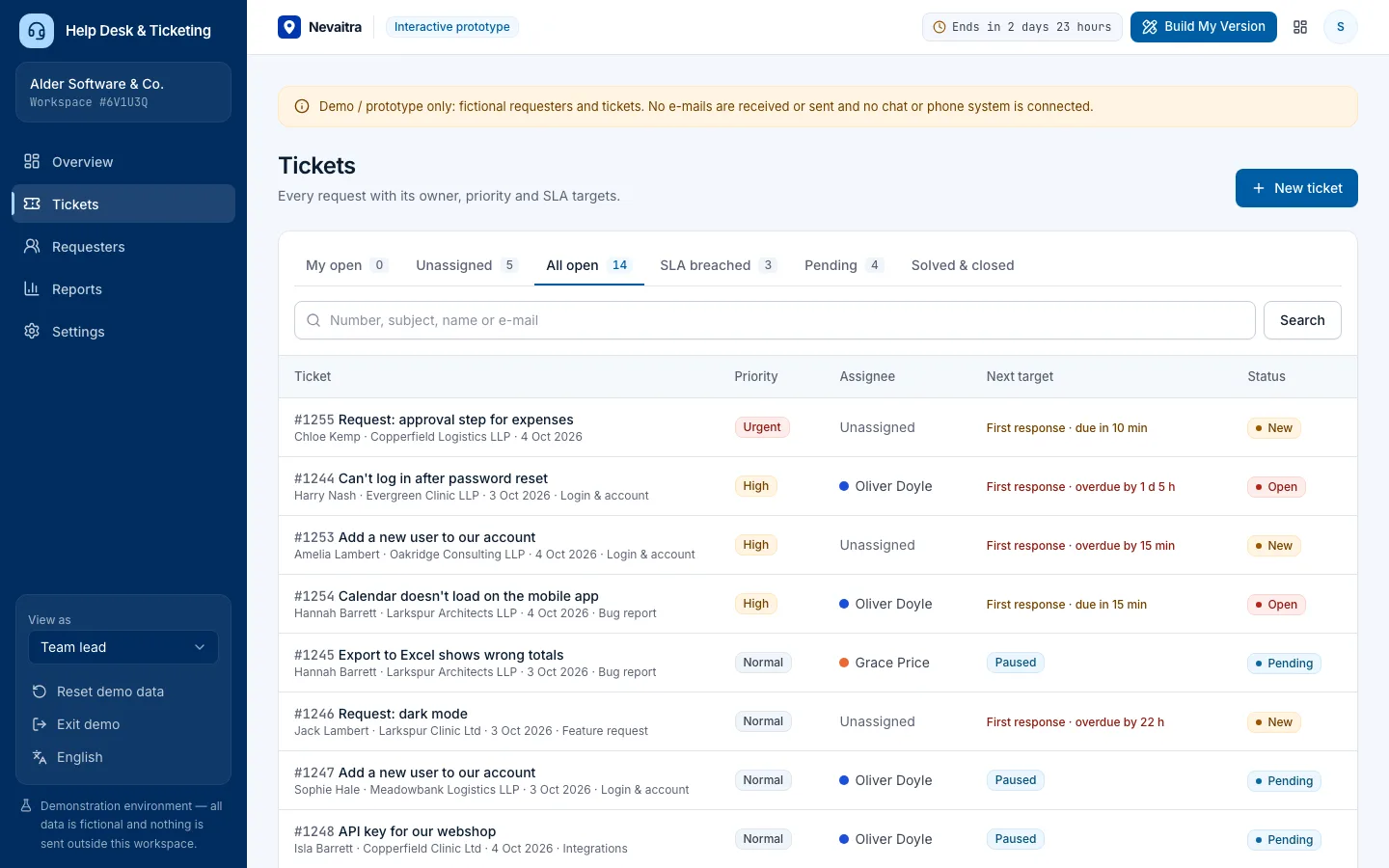
Ticket queue with priority, assignee and the next SLA target of each ticket

Help Desk & Ticketing

Tickets with owners, priorities and categories, public replies and internal notes, SLA targets that pause while waiting on the customer, and support reports.

  • Tickets and conversations
  • Triage and ownership
  • SLA targets
  • Ticket intake

Built with: Next.js · TypeScript · PostgreSQL · Prisma
ServicesLive demo
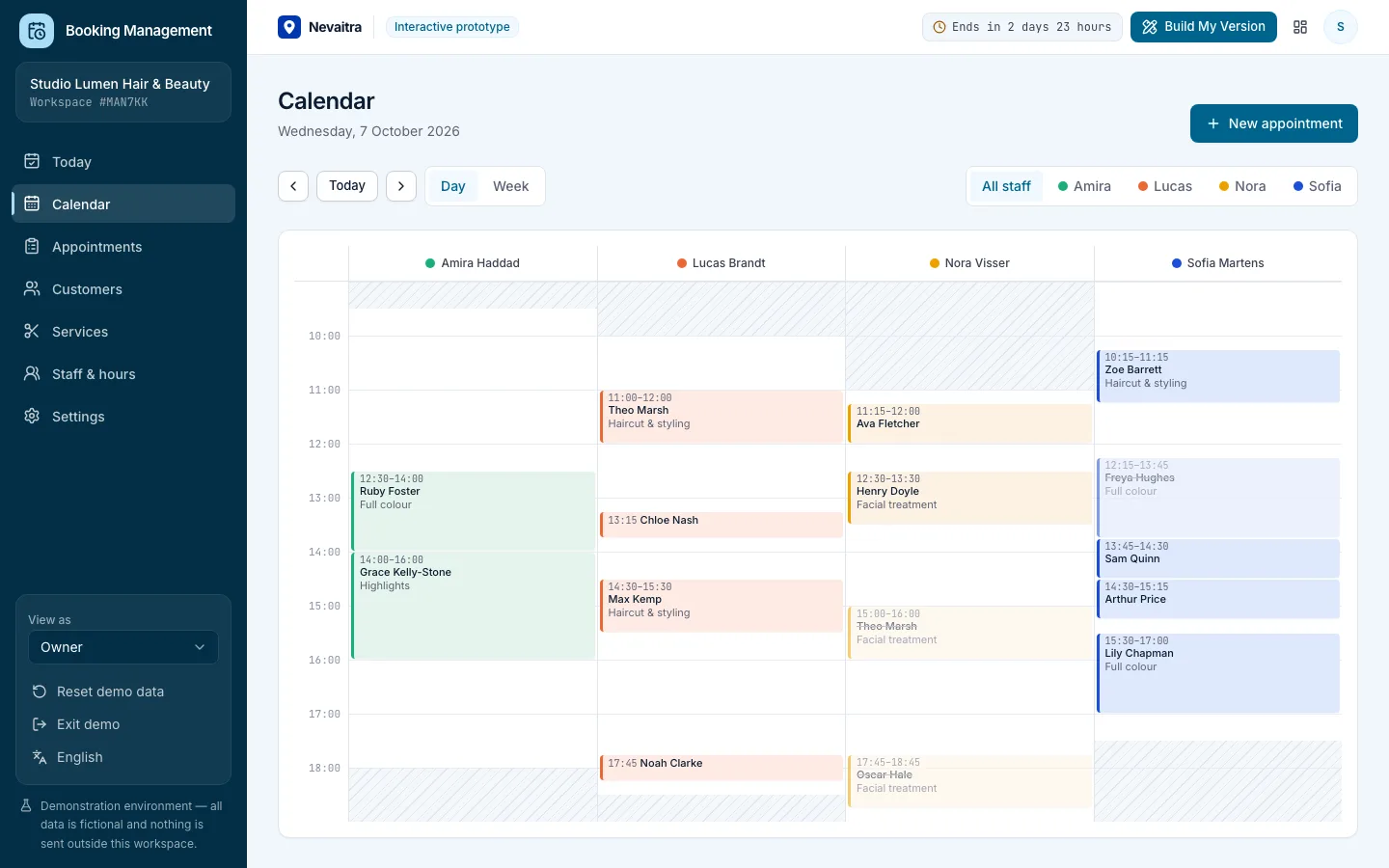
Booking calendar day view with a column per staff member

Booking Management

Appointments, calendar, services, staff hours and customers for service businesses.

  • Daily overview
  • Day and week calendar
  • Availability-aware booking
  • Appointment lifecycle

Built with: Next.js · TypeScript · PostgreSQL · Prisma
HospitalityLive demo
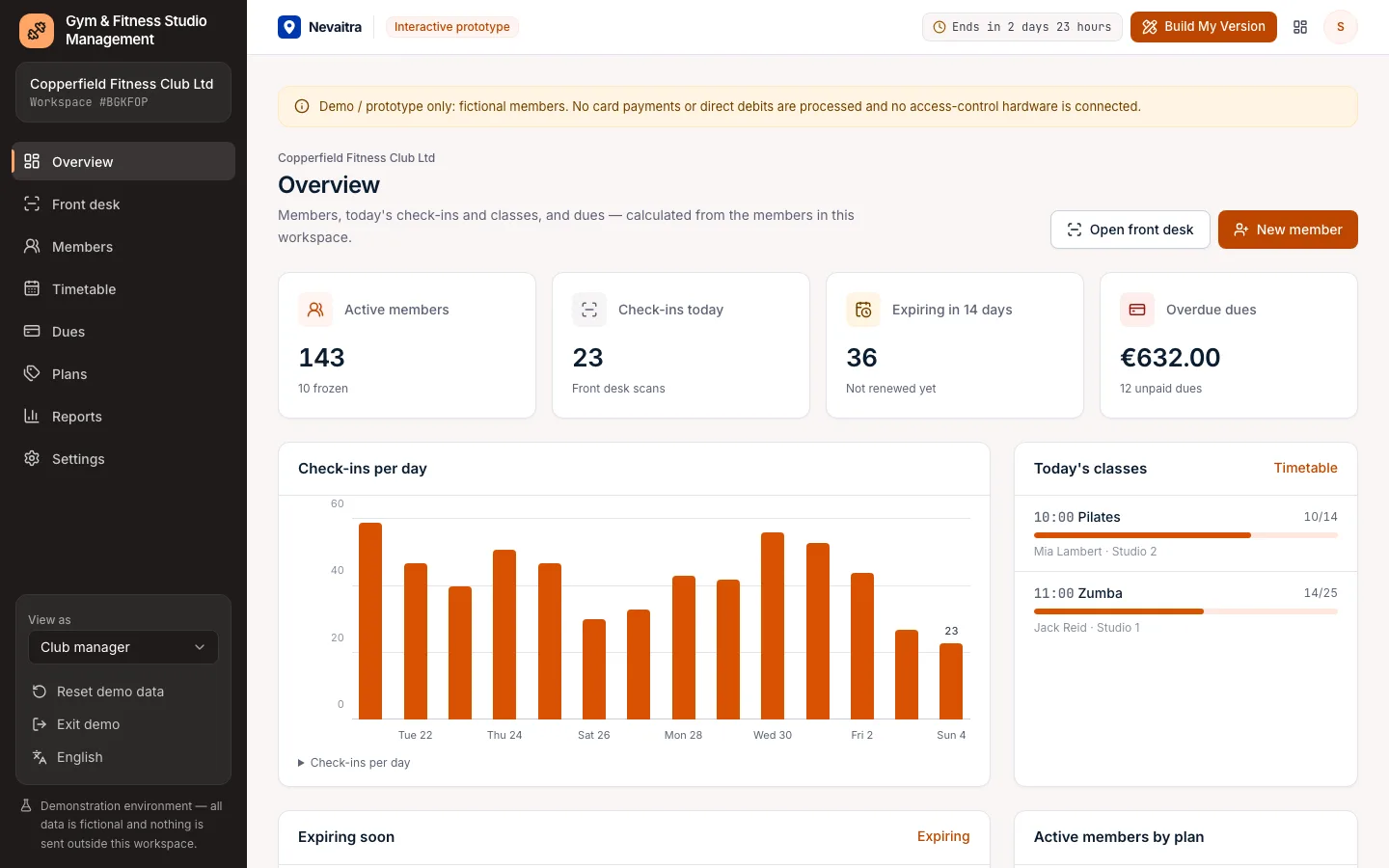
Gym overview with active members, check-ins per day, today's classes and overdue dues

Gym & Fitness Studio Management

Membership plans, sign-ups and dues, front-desk check-in that refuses expired or frozen members, and a class timetable with capacity-checked bookings.

  • Front-desk check-in
  • Freeze, renew, cancel
  • Classes with capacity
  • Class timetable

Built with: Next.js · TypeScript · PostgreSQL · Prisma

Want this system, adapted to how you work?

Request a customized version. Mention what you tried in the demo and what needs to be different.