Skip to content
FinanceInteractive prototypeVersion 1.0.0

Accounting and invoicing software for small businesses

From quote to paid invoice — with VAT, bank and reports always up to date.

Quotes, VAT invoices, expenses and bank reconciliation for small businesses — with VAT, P&L and aging reports.

  • 72-hour private workspace
  • Pre-filled with synthetic data
  • Isolated from other users
  • No payment details required
9:41
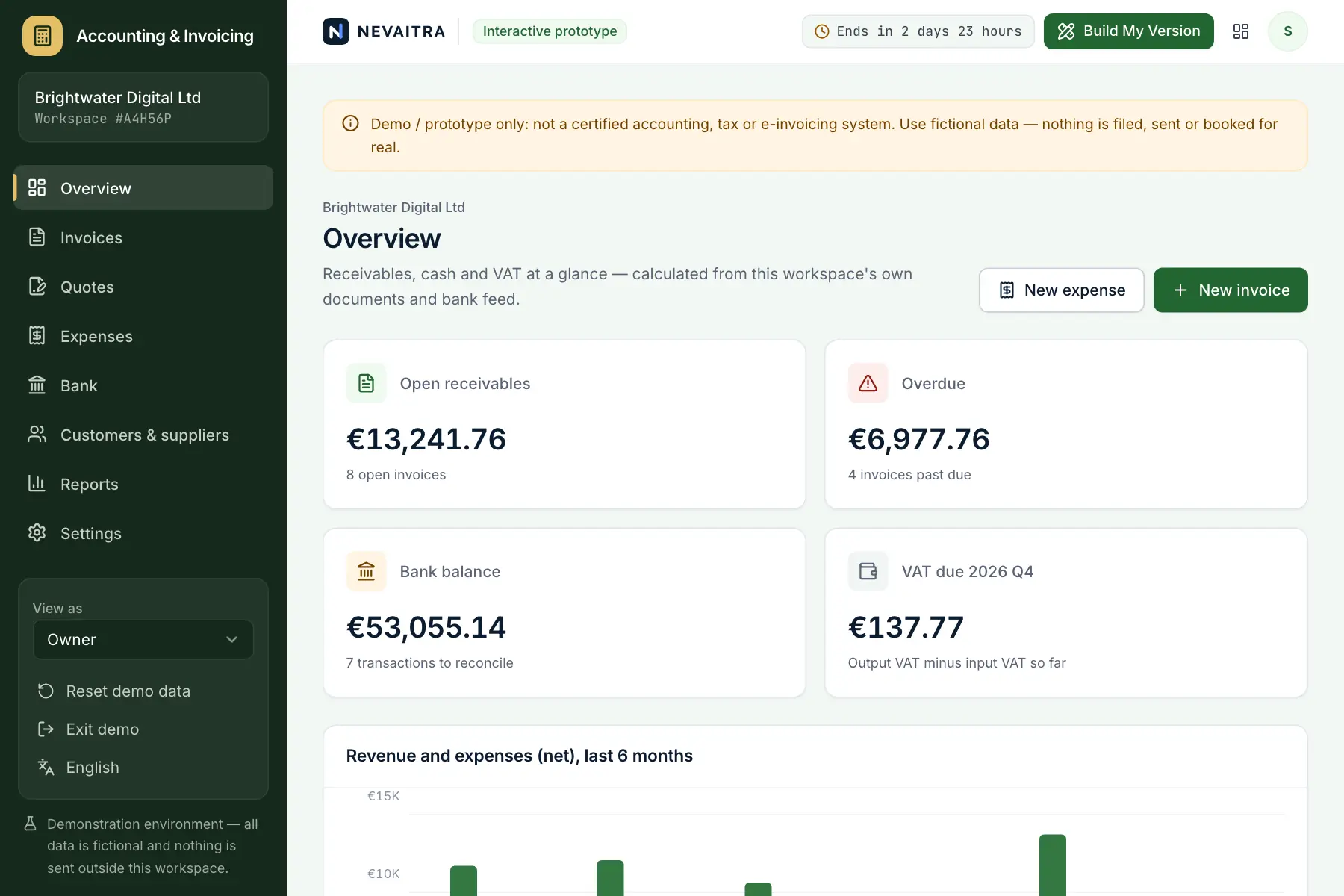
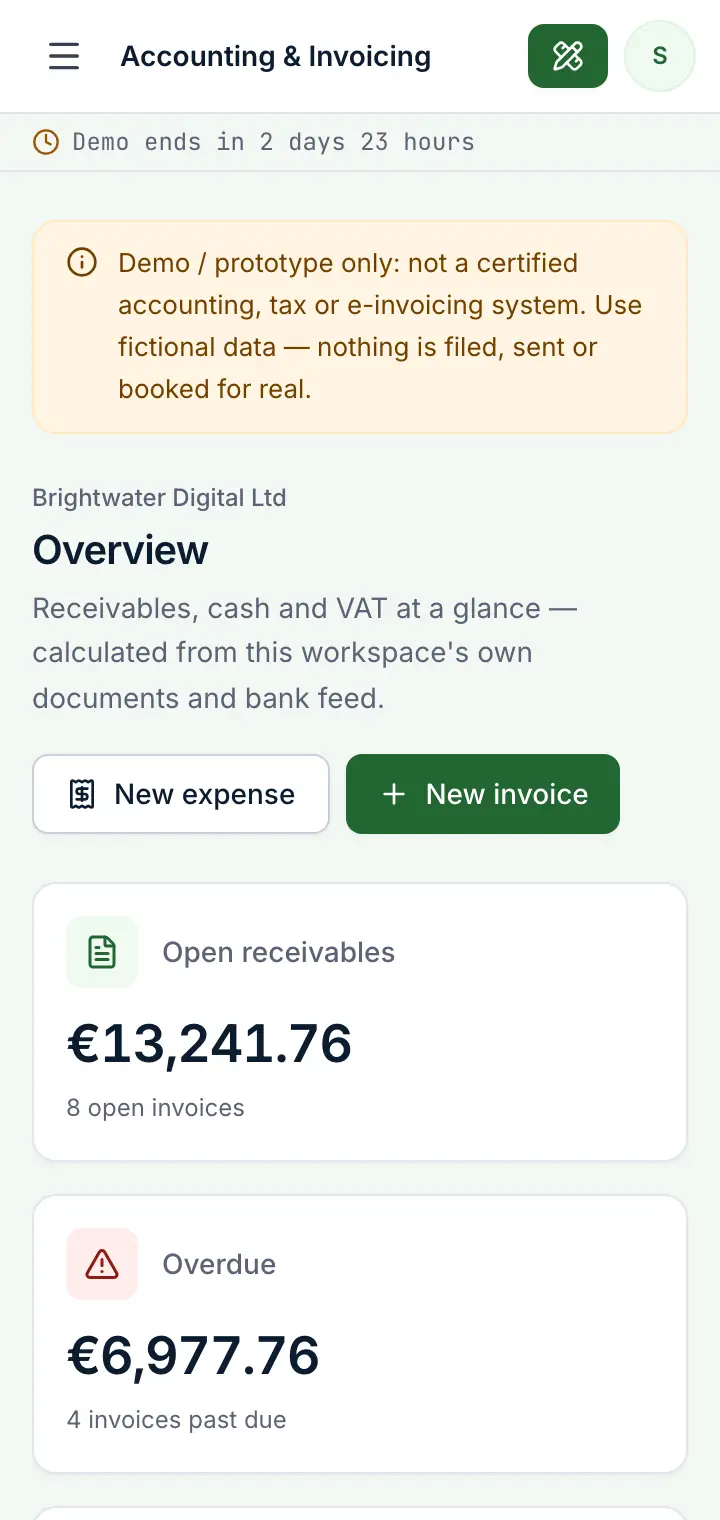
Guided preview: real screens from the live Accounting & Invoicing demo, on a tablet and on a phone

What Accounting & Invoicing does

An accounting and invoicing prototype for small businesses, freelancers and agencies. Send quotes and turn accepted ones into invoices, issue VAT invoices with gap-free numbers, record payments and reminders, capture expenses with their VAT, match bank transactions to documents, and see the VAT due, profit and loss and overdue receivables at any time.

This is an interactive prototype for evaluation — not a hosted product you can subscribe to. A production version is built and adapted for your organization on request.

Who it is for

  • Freelancers and small agencies who invoice services
  • Small businesses that want invoices, expenses and VAT in one place
  • Owners who need to see what is overdue and what cash is coming in
  • Accountants and bookkeepers who want clean, reconciled records

Key features

Invoices with VAT per line

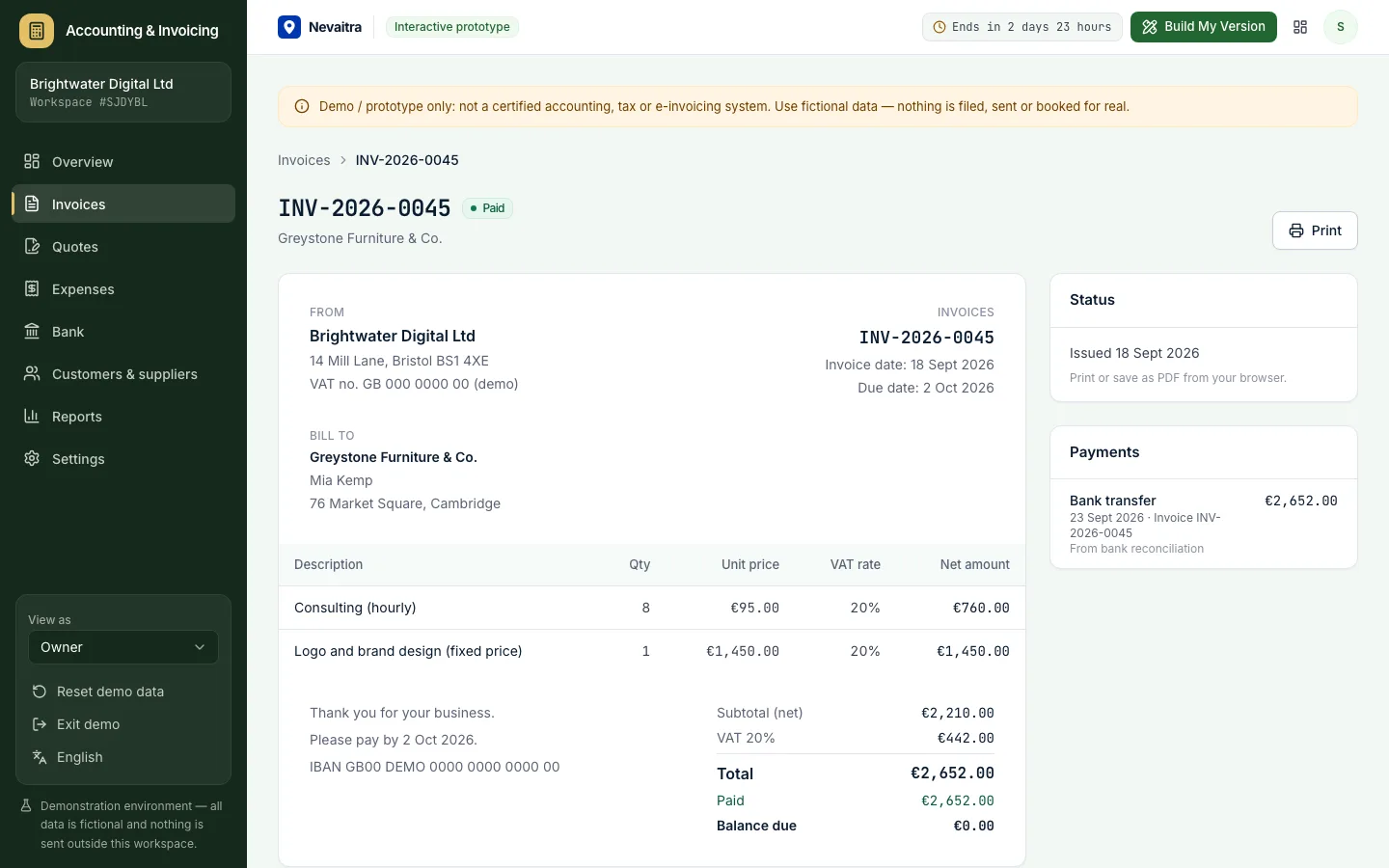
Several VAT rates on one invoice, totals per rate, gap-free numbers on issue, partial payments and up to three reminders.

Quotes to invoices

Send a quote, record the answer and create the invoice from it in one click — lines and prices carried over.

Expenses with VAT

Enter the gross amount from a receipt; net and input VAT are split out and flow into the reports.

Bank reconciliation

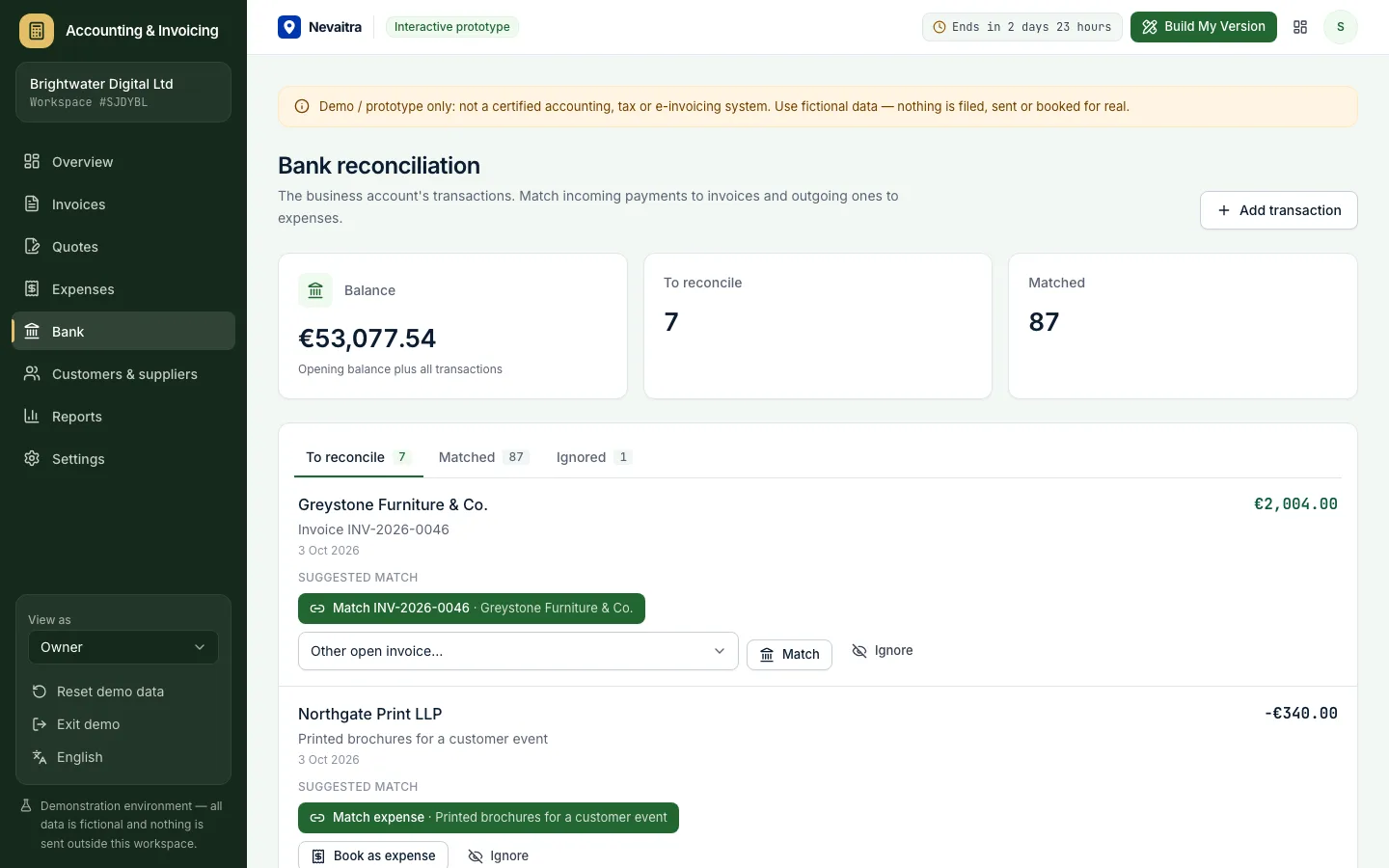
Incoming payments are matched to open invoices by amount or invoice number; outgoing ones to bills — or booked as new expenses.

VAT, P&L and aging

VAT summary per month or quarter, a 12-month profit and loss and receivables aging by days overdue.

Customers & suppliers

Contact details, payment terms, open balances and the full document history per contact.

Financial overview

Open and overdue receivables, bank balance, VAT due this quarter and what needs attention today.

Roles

Owner, bookkeeper and a read-only tax advisor view with different permissions.

Workflows you can try

  1. 01

    Quote, accept, invoice

    Create a quote with several lines, mark it as sent and accepted, then turn it into a draft invoice and issue it.

  2. 02

    Get paid

    Record a partial payment, then the rest — the invoice closes itself when the balance reaches zero.

  3. 03

    Chase overdue invoices

    Filter overdue invoices, record payment reminders and see the balance per customer in the aging report.

  4. 04

    Record a receipt

    Enter a bill with its gross amount and VAT rate; the expense appears in the VAT summary and the P&L.

  5. 05

    Reconcile the bank

    Accept suggested matches, match a payment to another invoice, book bank fees as an expense or ignore a transfer.

  6. 06

    Check the VAT

    Pick a quarter or month and compare output VAT from invoices with input VAT from expenses.

Screenshots from the live demo

Captured from the current version of the prototype.

Sales invoice with line items, VAT and recorded payments
Invoices with exact decimal totals, VAT and payments
Bank reconciliation matching bank lines to invoices and expenses
Reconcile bank lines against invoices and expenses

How the live demo works

  1. 01Create an account or sign in with Google — no payment details needed.

  2. 02A private workspace filled with fictional sample data is created for you in seconds.

  3. 03Work through the workflows and switch the demo role in the sidebar to see what each role can do.

  4. 04Click “Build My Version” — your request includes the demo and the features you tried.

What the demo includes

  • A fictional service company with about 20 customers and suppliers
  • Six months of quotes, invoices, payments and expenses in every status
  • A simulated bank feed with transactions still to reconcile
  • VAT rates and currency of the language you start the demo in
  • Three demo roles: Owner, Bookkeeper and Tax advisor (read-only)

Demo limitations

  • Demo / prototype only — not a certified accounting, tax or e-invoicing system
  • No real bank connection: transactions are simulated or added by hand
  • No electronic invoice formats or government portals (e.g. XRechnung, Factur-X, e-Fatura, ZATCA)
  • No double-entry ledger, chart of accounts or tax return filing
  • No emails are sent — reminders and quotes are only recorded

What can be customized

  • E-invoicing in the format your country requires
  • Bank connections (PSD2/Open Banking) with automatic matching rules
  • Export to your accountant's software (e.g. DATEV) or a full ledger
  • Your invoice layout, languages and numbering scheme
  • Recurring invoices, subscriptions and dunning fees
  • Integration with your CRM, shop or time tracking

What happens when the demo ends

After 72 hours the workspace and every record you created are permanently deleted. Your account stays active, and you can request a customized version at any time.

Technologies

  • Next.js
  • TypeScript
  • PostgreSQL
  • Prisma
  • Tailwind CSS

Frequently asked questions

What does accounting and invoicing software do?

It keeps a small business's quotes, invoices, payments, expenses and VAT in one place, so you always know what is owed, what has been paid and how the numbers add up. This demo covers quotes, VAT invoices, expenses, bank reconciliation, a VAT summary, profit and loss and aging reports. It is not a certified accounting system and does not file tax returns.

Can I use this for my real bookkeeping?

No. It's a working prototype for evaluation with fictional data. A production version would add the certifications, e-invoicing formats and data protection your country requires.

How is VAT calculated?

Each line has its own rate. VAT is computed per rate on the sum of that rate's line amounts and rounded once — the same logic is used in the form preview and on the server.

How does bank reconciliation work in the demo?

The demo contains a simulated bank feed. For incoming money it suggests open invoices with the same amount or with the invoice number in the reference; for outgoing money, unpaid expenses with the same amount.

How is this different from the ERP demo?

The ERP connects invoices to products and stock. This project focuses on bookkeeping: quotes, VAT per line, expenses, bank matching and financial reports — without inventory.

View all projects
RetailLive demo
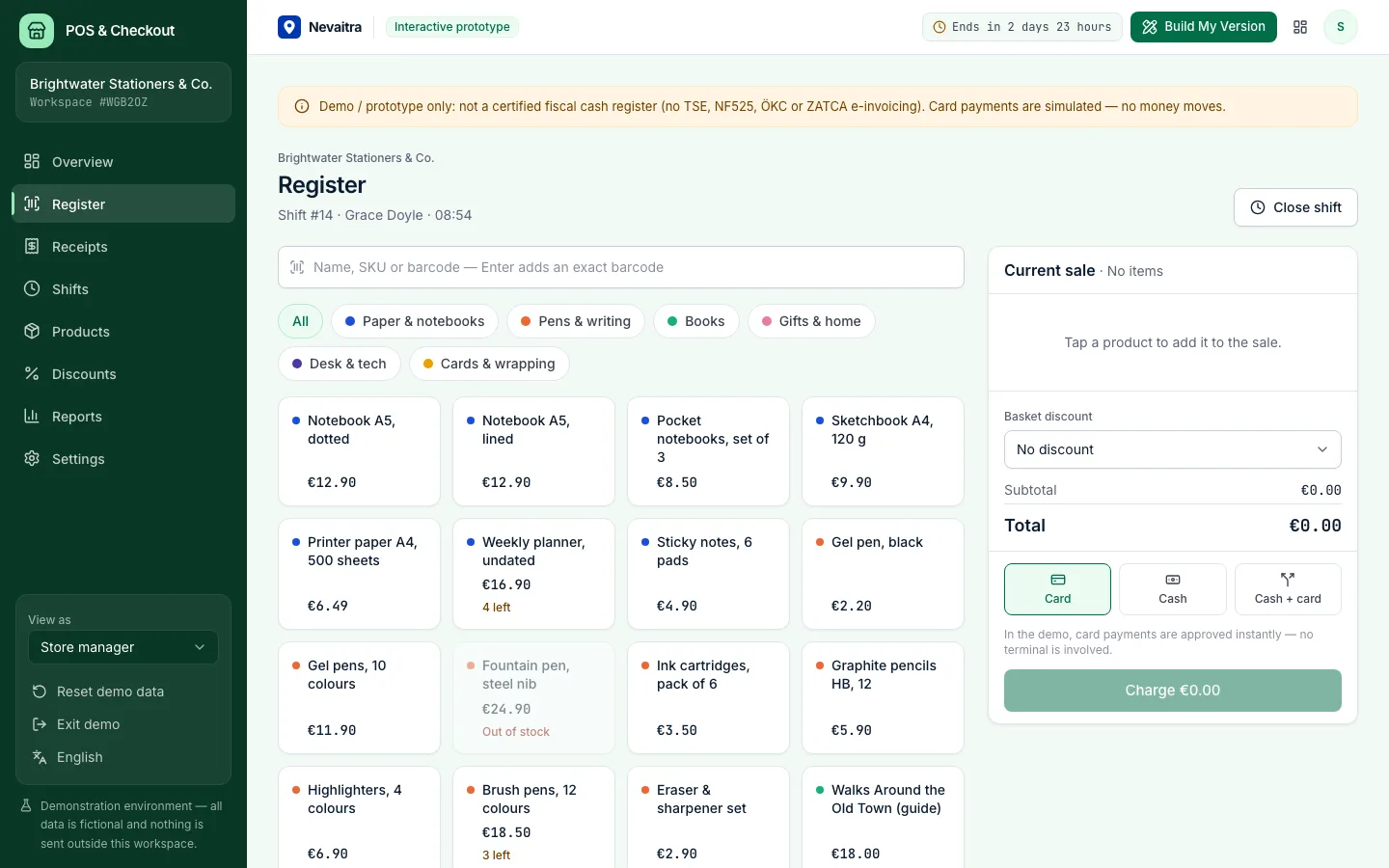
Point of sale register with the product grid, categories and the sale panel

POS & Checkout

A browser-based register for small shops: fast checkout, cash, card and split payments, receipts, refunds and shift closing with a Z report.

  • Fast register
  • Cash, card or both
  • Discount presets
  • Receipts and refunds

Built with: Next.js · TypeScript · PostgreSQL · Prisma
Human resourcesLive demo
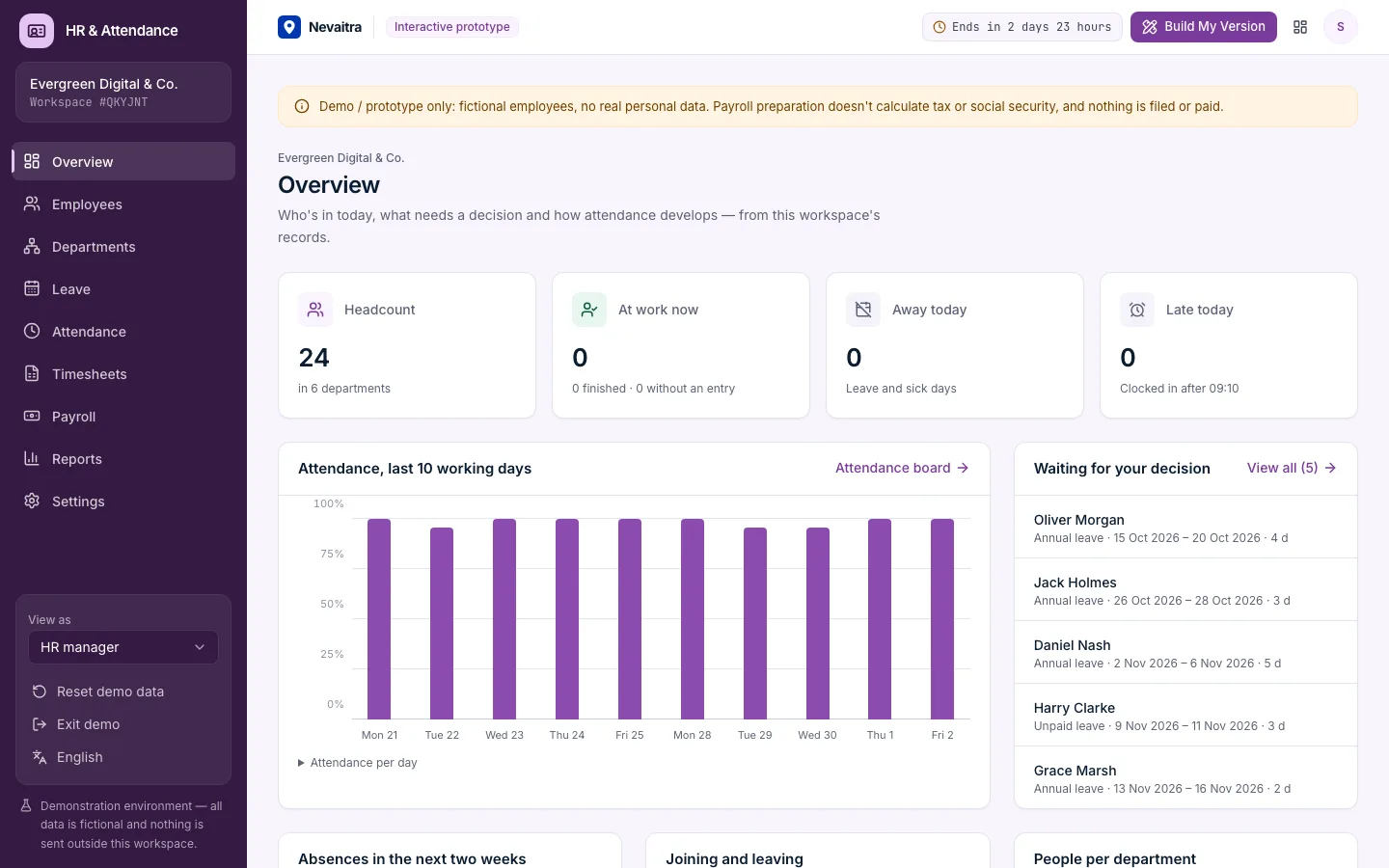
HR dashboard with headcount, people on leave today and pending requests

HR & Attendance

Employee records, leave requests with approvals and balances, clock-in/clock-out, monthly timesheets and payroll preparation for small teams.

  • Employee records
  • Leave requests and approvals
  • Clock in and out
  • Monthly timesheets

Built with: Next.js · TypeScript · PostgreSQL · Prisma
OperationsLive demo
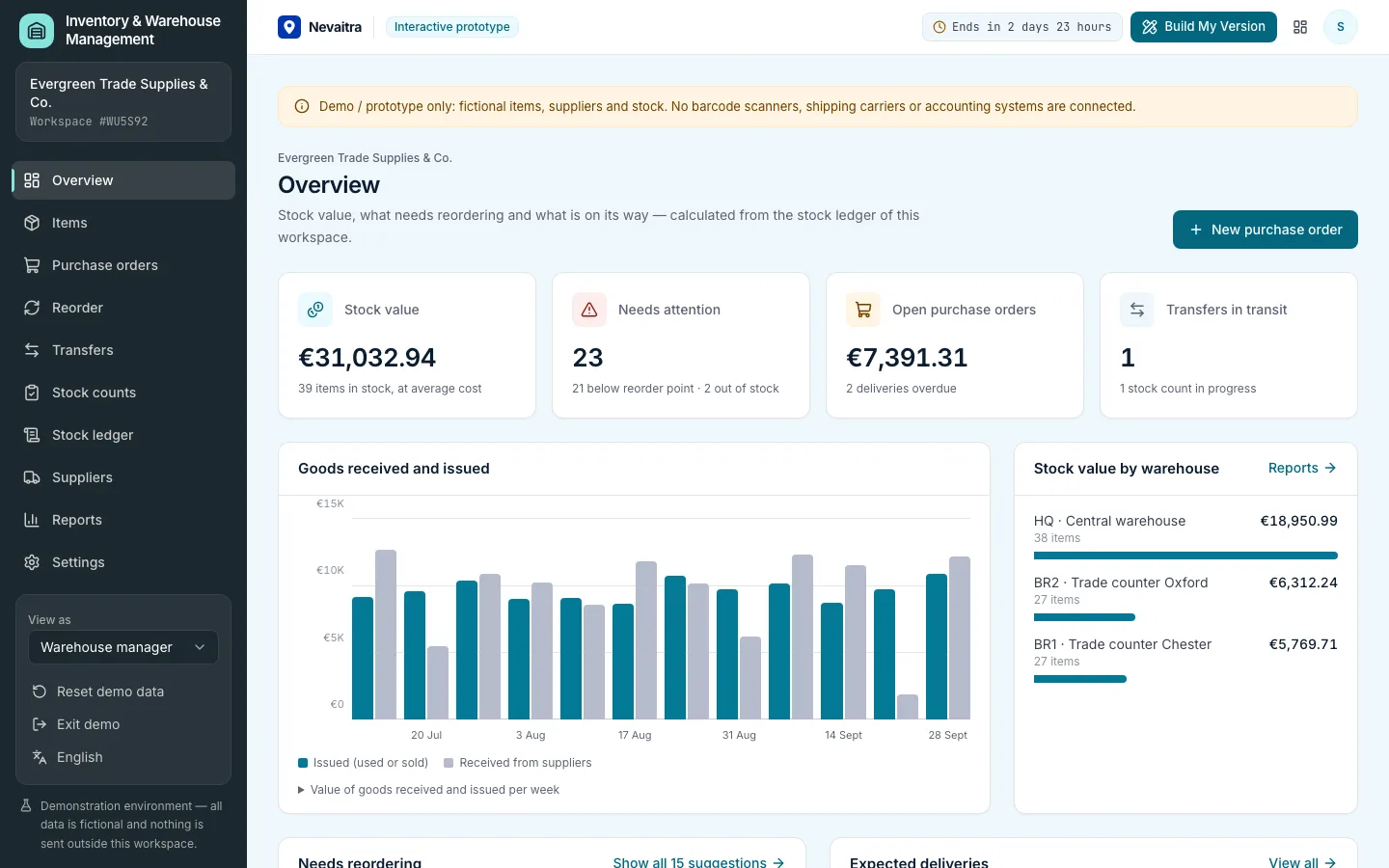
Inventory overview with stock value, items below their reorder level and incoming purchase orders

Inventory & Warehouse Management

Stock in several warehouses, a complete stock ledger, purchase orders with partial receipts, transfers, stock counts, reorder suggestions and average-cost valuation.

  • Items and stock levels
  • Stock ledger
  • Purchase orders
  • Partial receiving

Built with: Next.js · TypeScript · PostgreSQL · Prisma

Want this system, adapted to how you work?

Request a customized version. Mention what you tried in the demo and what needs to be different.