Skip to content
BusinessInteractive prototypeVersion 1.0.0

ERP system for inventory, invoicing and customers

Run sales, stock and invoicing for a small business from one place.

Customers, products, inventory, invoices and reports in one connected business management system.

  • 72-hour private workspace
  • Pre-filled with synthetic data
  • Isolated from other users
  • No payment details required
9:41
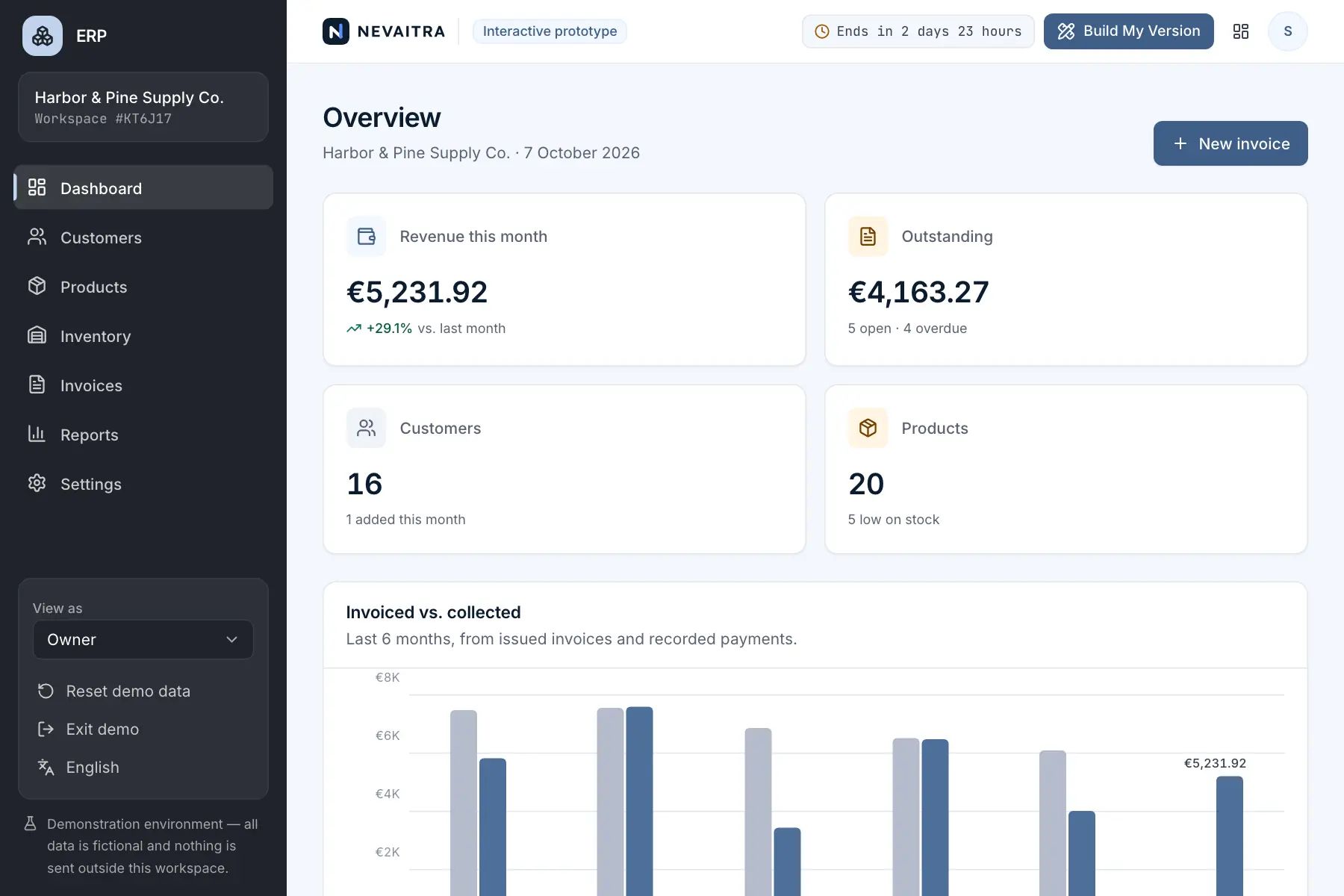
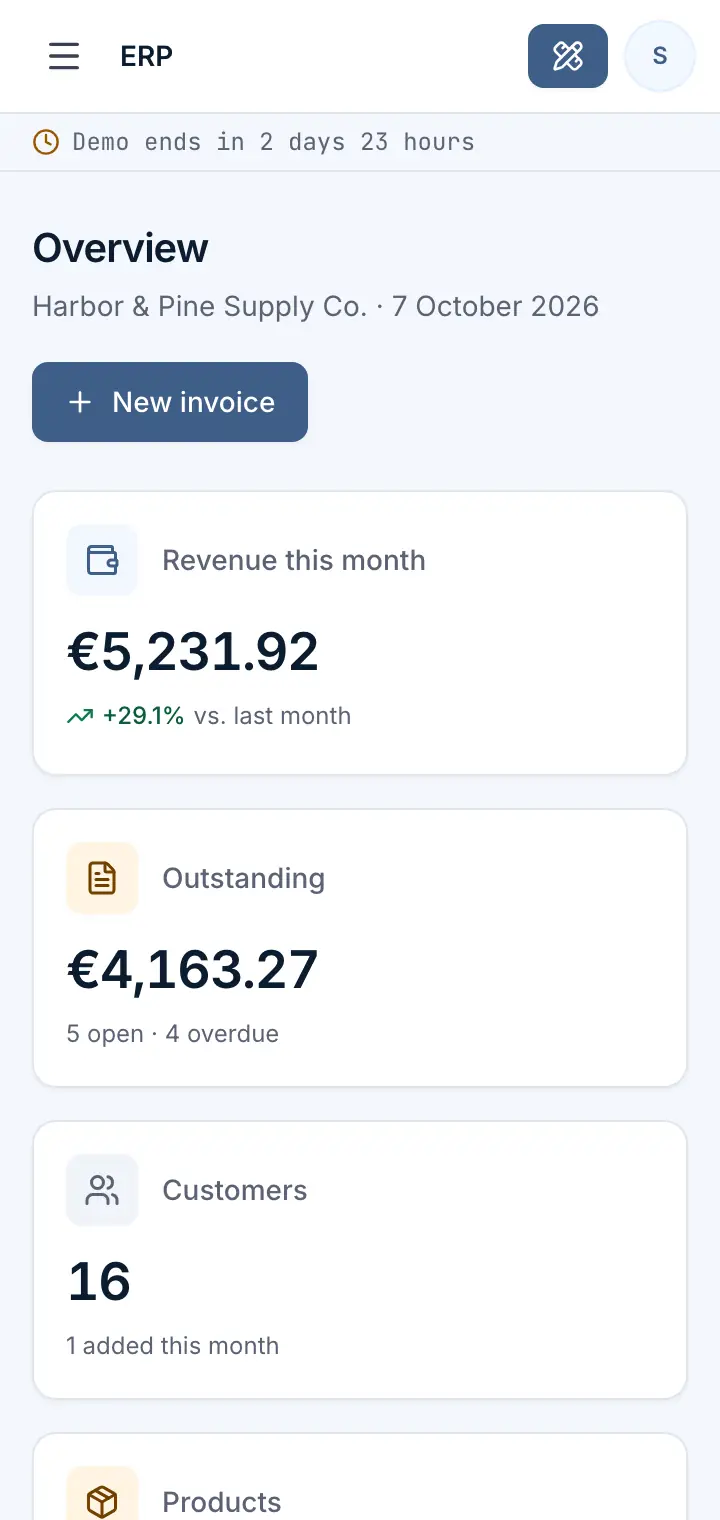
Guided preview: real screens from the live ERP demo, on a tablet and on a phone

What ERP does

A business management system prototype for companies that sell products. Manage customers and a product catalogue, track stock with a full movement history, create and send invoices, record payments and follow outstanding balances — with reports calculated from the same data.

This is an interactive prototype for evaluation — not a hosted product you can subscribe to. A production version is built and adapted for your organization on request.

Who it is for

  • Wholesale and trading companies that sell physical products
  • Small and medium-sized businesses moving from spreadsheets to one system
  • Companies that invoice customers and need to follow up on payments
  • Teams where sales and warehouse staff need different access

Key features

Dashboard

Revenue, outstanding balances, low-stock alerts and recent activity, calculated from live workspace data.

Customers

Customer records with contact details, invoice history and outstanding balance.

Products

Catalogue with SKUs, categories, sales and cost prices, margins and minimum stock levels.

Inventory

Current stock and valuation, goods receipts, corrections and a complete movement history.

Invoices

Line items, tax and totals calculated exactly, draft → sent → paid workflow and overdue tracking.

Payments

Record full or partial payments; balances and statuses update automatically.

Reports

Invoiced vs. collected per month, invoice status, top products and customers, stock by category.

Roles

Switch between Owner, Sales and Warehouse roles to see role-based access in action.

Workflows you can try

  1. 01

    Create a customer and invoice them

    Add a customer, build an invoice from products and custom lines, and see subtotal, tax and total update as you type.

  2. 02

    Send an invoice and watch stock move

    Marking an invoice as sent deducts stock and records a sale movement; cancelling it returns the stock.

  3. 03

    Collect payments

    Record a partial payment, then the rest — the invoice changes to paid and the dashboard reflects it.

  4. 04

    Receive goods and correct stock

    Book a delivery or a stock correction and follow it in the product's stock history.

  5. 05

    Chase overdue invoices

    Filter invoices by status to find overdue ones and the customers who owe the most.

  6. 06

    Review the numbers

    Compare invoiced and collected revenue by month and see which products drive revenue.

Screenshots from the live demo

Captured from the current version of the prototype.

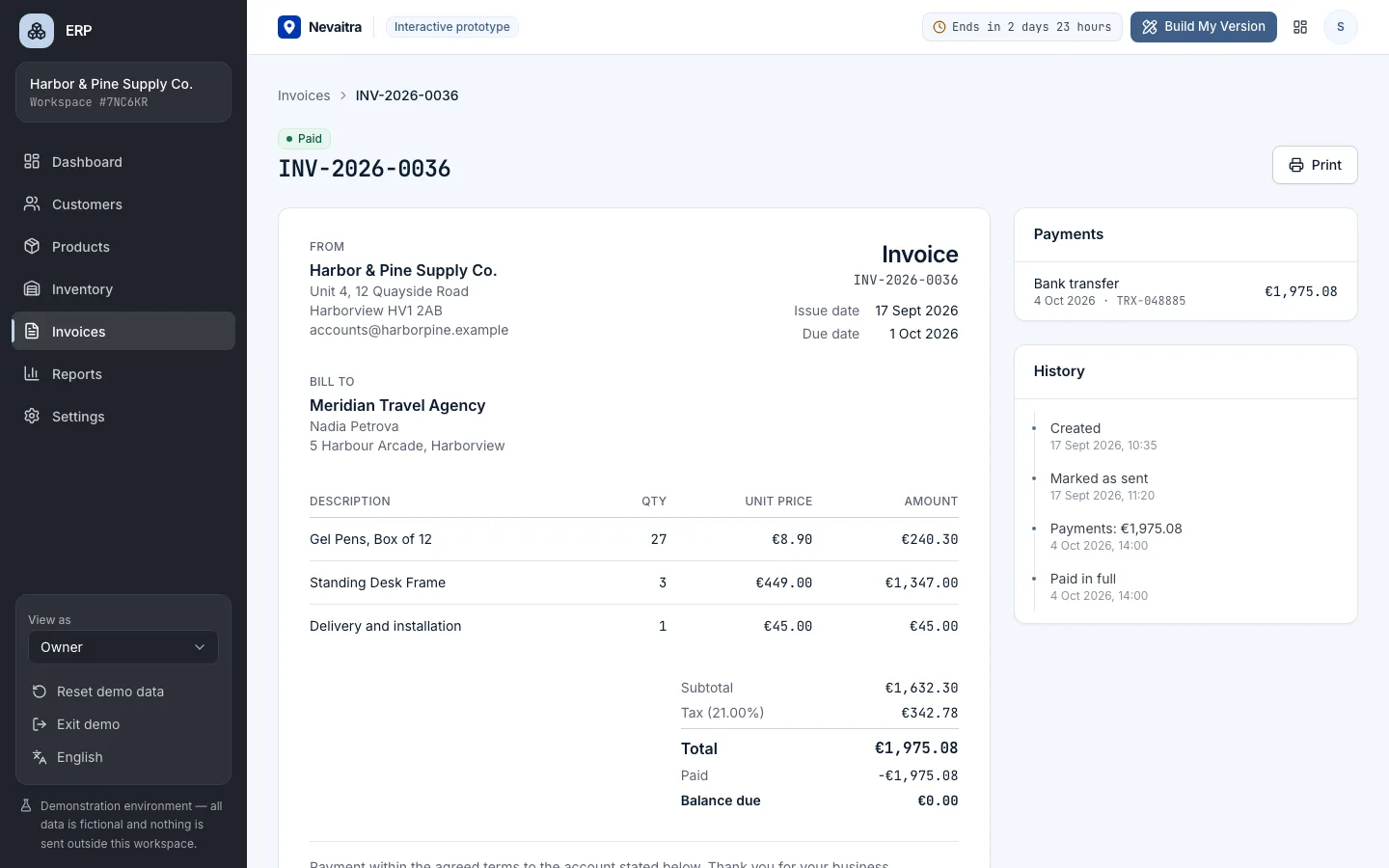
Invoice detail with line items, tax and payment history
Invoices with exact decimal totals and recorded payments
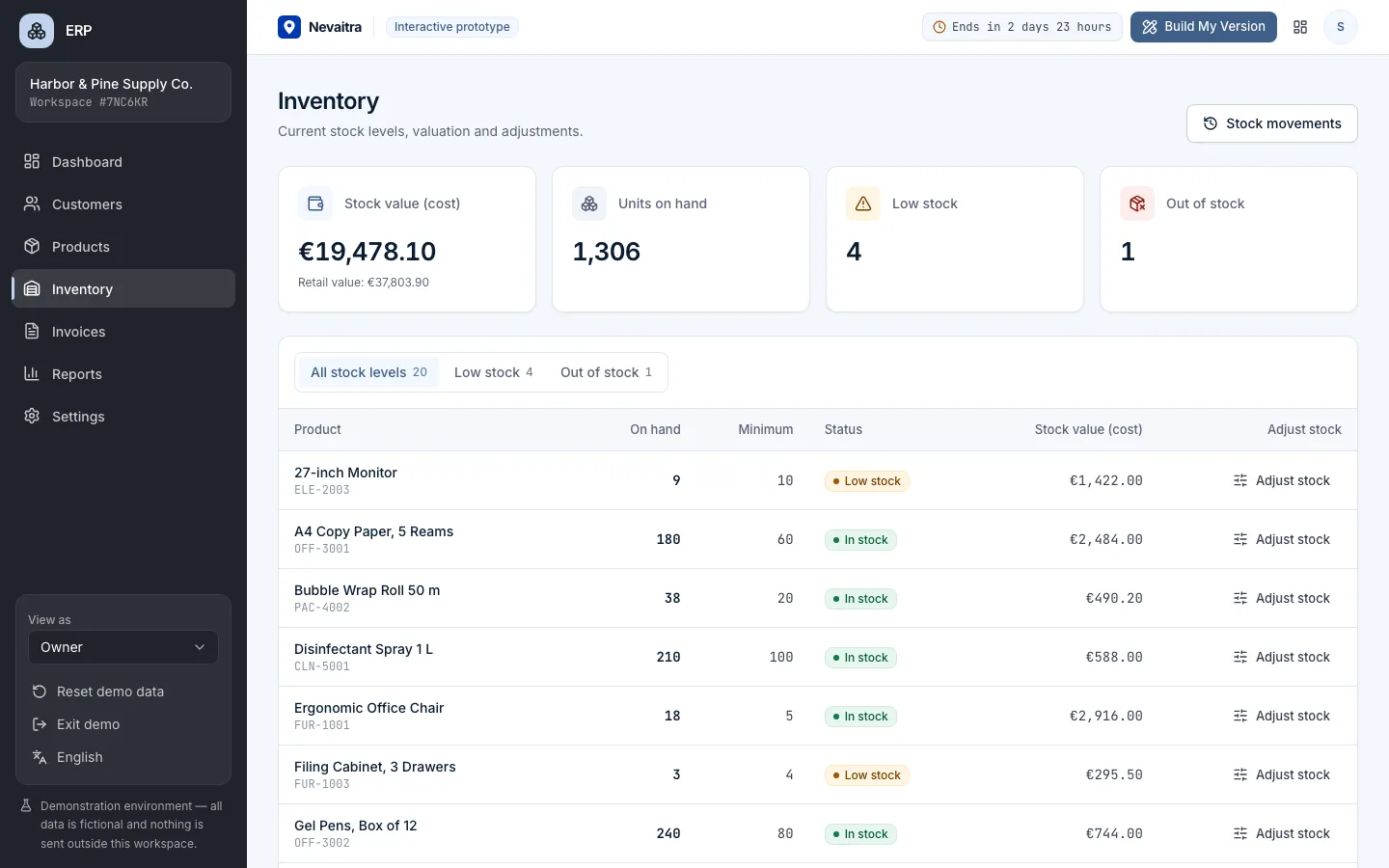
Inventory overview with stock levels and reorder alerts
Stock levels, reorder alerts and every movement

How the live demo works

  1. 01Create an account or sign in with Google — no payment details needed.

  2. 02A private workspace filled with fictional sample data is created for you in seconds.

  3. 03Work through the workflows and switch the demo role in the sidebar to see what each role can do.

  4. 04Click “Build My Version” — your request includes the demo and the features you tried.

What the demo includes

  • 20 products in 5 categories, some below their minimum stock
  • 16 fictional customers with contact details
  • About 40 invoices over six months — paid, sent, overdue, draft and cancelled
  • Payments and stock movements that match the invoices
  • Three demo roles: Owner, Sales and Warehouse

Demo limitations

  • All data is synthetic and is deleted when the demo ends
  • Invoices are not emailed and no real payments are processed
  • No integrations with accounting, banking or e-commerce systems
  • One company, one currency and one tax rate per invoice
  • No PDF export — use your browser's print function for invoices

What can be customized

  • Your product data, price lists, discounts and tax rules
  • Purchasing: suppliers, purchase orders and multiple warehouses
  • Integrations with accounting software, payment providers and web shops
  • Custom roles, approval steps and audit requirements
  • Branded invoice templates, PDF and e-invoicing formats
  • Multiple companies, currencies and languages

What happens when the demo ends

After 72 hours the workspace and every record you created are permanently deleted. Your account stays active, and you can request a customized version at any time.

Technologies

  • Next.js
  • TypeScript
  • PostgreSQL
  • Prisma
  • Tailwind CSS

Frequently asked questions

What is ERP software?

ERP (enterprise resource planning) software brings a company's core processes — such as sales, purchasing, stock and finance — into one system with shared data, instead of separate spreadsheets. This demo covers the part most product-selling businesses start with: customers, products, inventory, invoices, payments and reports.

Is this a finished product I can subscribe to?

No. It's an interactive prototype for evaluating the workflows. A production version is built for your organization — with your requirements, data, integrations and hosting.

Can I enter my own data?

You can add, edit and delete anything in your demo workspace. Please don't enter real customer or personal data — the demo is meant for fictional records.

What happens to my demo data?

Your workspace is private to your account and is permanently deleted when the demo period ends.

How are invoice totals calculated?

Line totals, tax and totals use exact decimal arithmetic (no floating-point rounding errors), and every total is recalculated on the server.

View all projects
ServicesLive demo
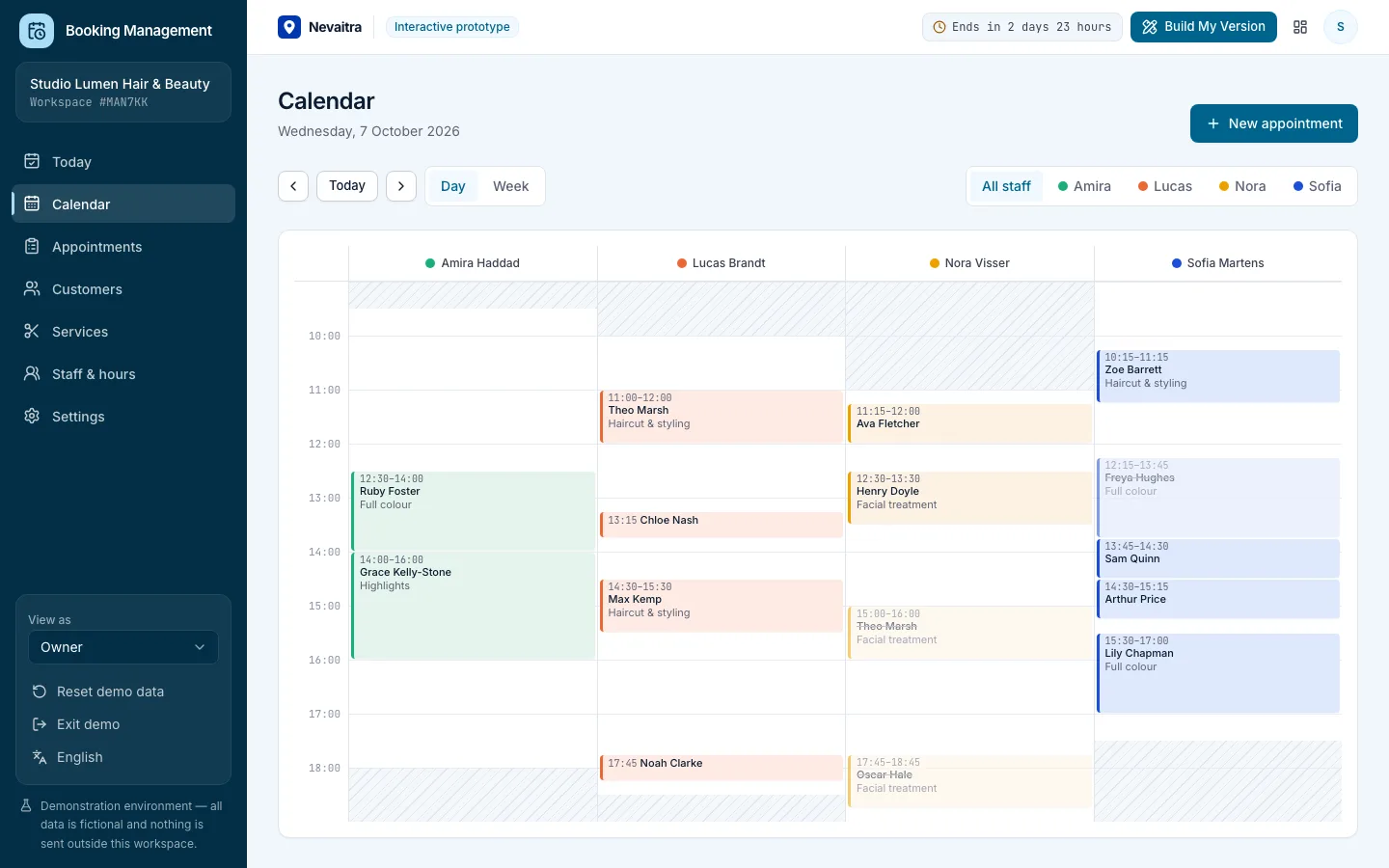
Booking calendar day view with a column per staff member

Booking Management

Appointments, calendar, services, staff hours and customers for service businesses.

  • Daily overview
  • Day and week calendar
  • Availability-aware booking
  • Appointment lifecycle

Built with: Next.js · TypeScript · PostgreSQL · Prisma
HealthcareLive demo
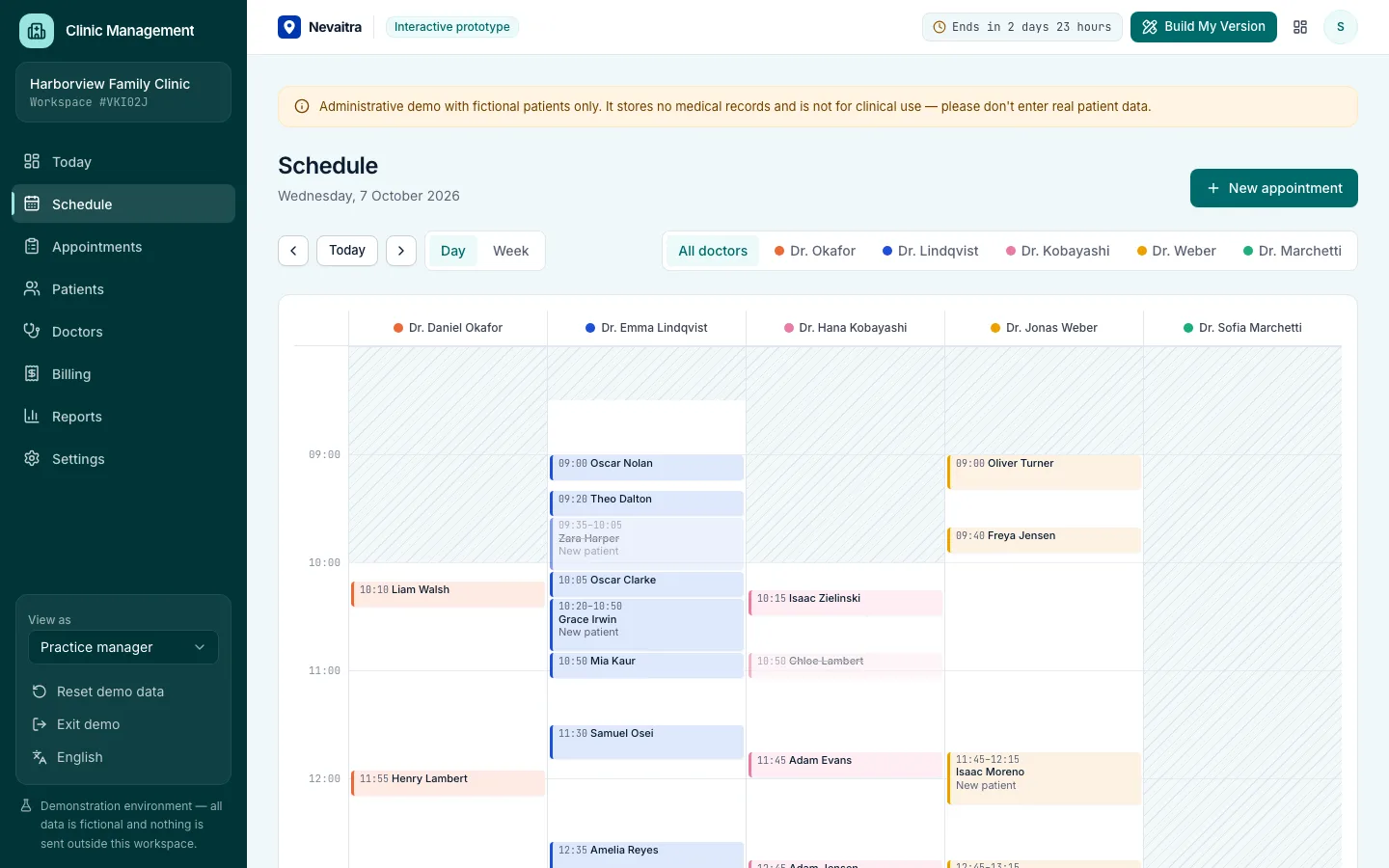
Clinic schedule with a column per doctor and consulting hours shaded

Clinic Management

Front desk, doctor schedules, patient flow and billing for outpatient clinics — administration only.

  • Front-desk overview
  • Doctor schedules
  • Booking into real availability
  • Patient flow

Built with: Next.js · TypeScript · PostgreSQL · Prisma
Sales & CRMLive demo
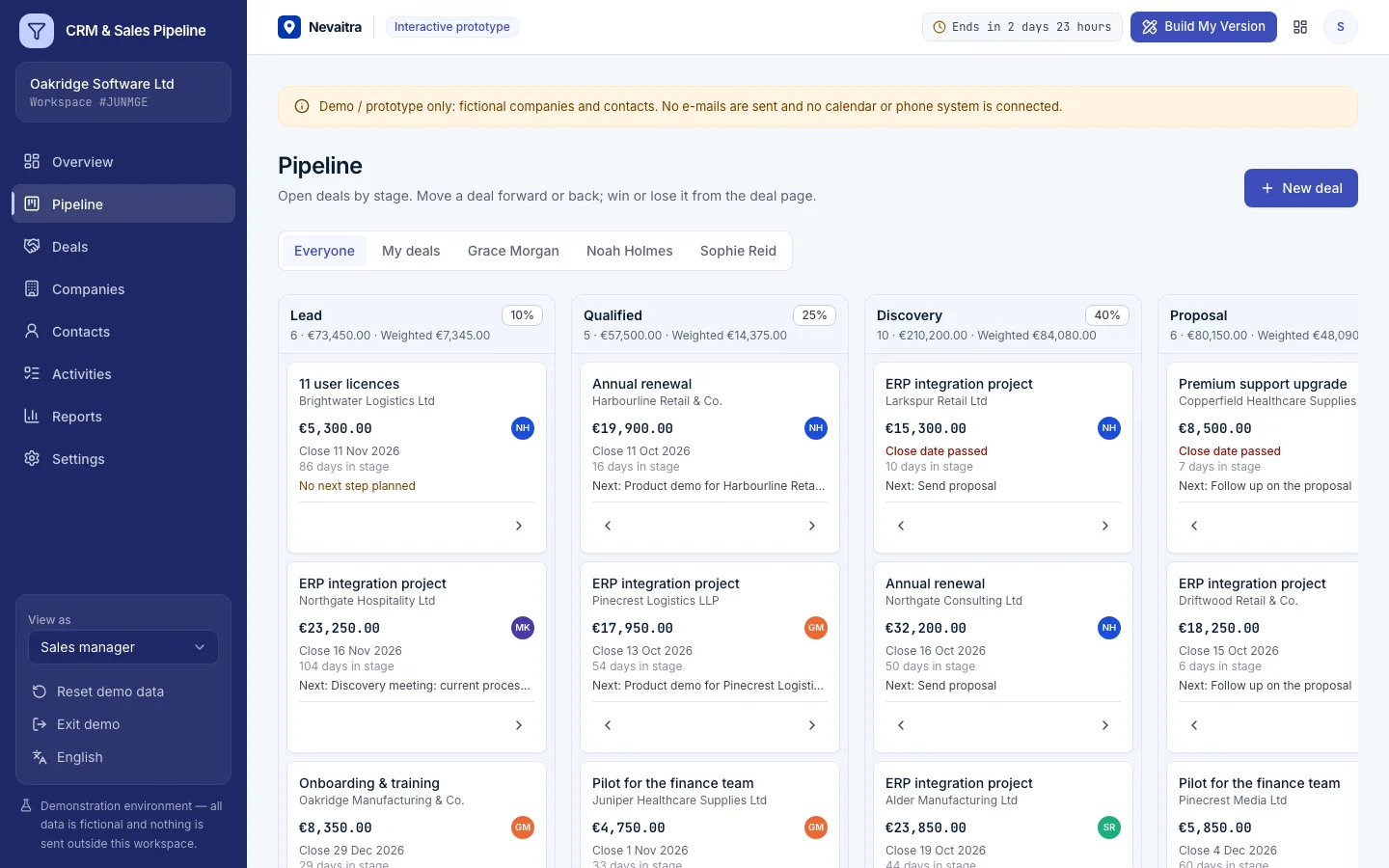
Sales pipeline board with deals in each stage and stage totals

CRM & Sales Pipeline

Companies, contacts and deals on a pipeline board — with activities, a weighted forecast and win/loss analysis for small sales teams.

  • Pipeline board
  • Deals with full history
  • Activities that keep deals moving
  • Weighted forecast

Built with: Next.js · TypeScript · PostgreSQL · Prisma

Want this system, adapted to how you work?

Request a customized version. Mention what you tried in the demo and what needs to be different.